
Last updated: October 19, 2026. Prices checked on each host’s site the same day.
TL;DR
- Best overall for modded: BisectHosting. 2,300+ one-click modpacks, 21 locations, 24/7 support. 8GB is $23.99/mo.
- Best value: PebbleHost Premium. Fast Ryzen 9 9900X CPUs and a 12,000-pack installer for less per GB.
- Easiest for beginners: Shockbyte. Clean panel and a 72-hour self-serve refund, but pricier.
- RAM rule: light packs need 4GB, Pixelmon-style packs 6GB, big packs like ATM or RLCraft 8GB+.
Quick comparison: best server hosting for modded Minecraft
| Host | 8GB price/mo | One-click modpacks | Refund | Best for |
|---|---|---|---|---|
| BisectHosting | $23.99 | 2,300+ | Check terms | Most modded servers |
| PebbleHost Premium | about $18 | 12,000 | 72 hours | Tight budgets, heavy packs |
| Shockbyte | $31.99 | 2,000+ | 72 hours | First-time server owners |
| Apex Hosting | $29.99 | 1,000+ | 7 days | Long refund window |
Monthly prices in USD, before taxes and promos. Longer billing cycles are cheaper on every host.
What makes a host good for modded Minecraft?
Modded servers are hungry. They need more RAM, a fast CPU and an easy way to install packs.
Look for these four things:
- Single-thread CPU speed. Minecraft leans on one core. A fast modern CPU means less lag than extra cores.
- One-click modpack installs. CurseForge, FTB, Modrinth and Technic support saves hours.
- Enough RAM. Too little RAM causes crashes and long load times.
- Backups. Mods break worlds. Daily backups let you roll back.
1. BisectHosting: best overall for modded servers
BisectHosting is the host modded players name most often. It runs a huge one-click library and lets you swap packs fast.
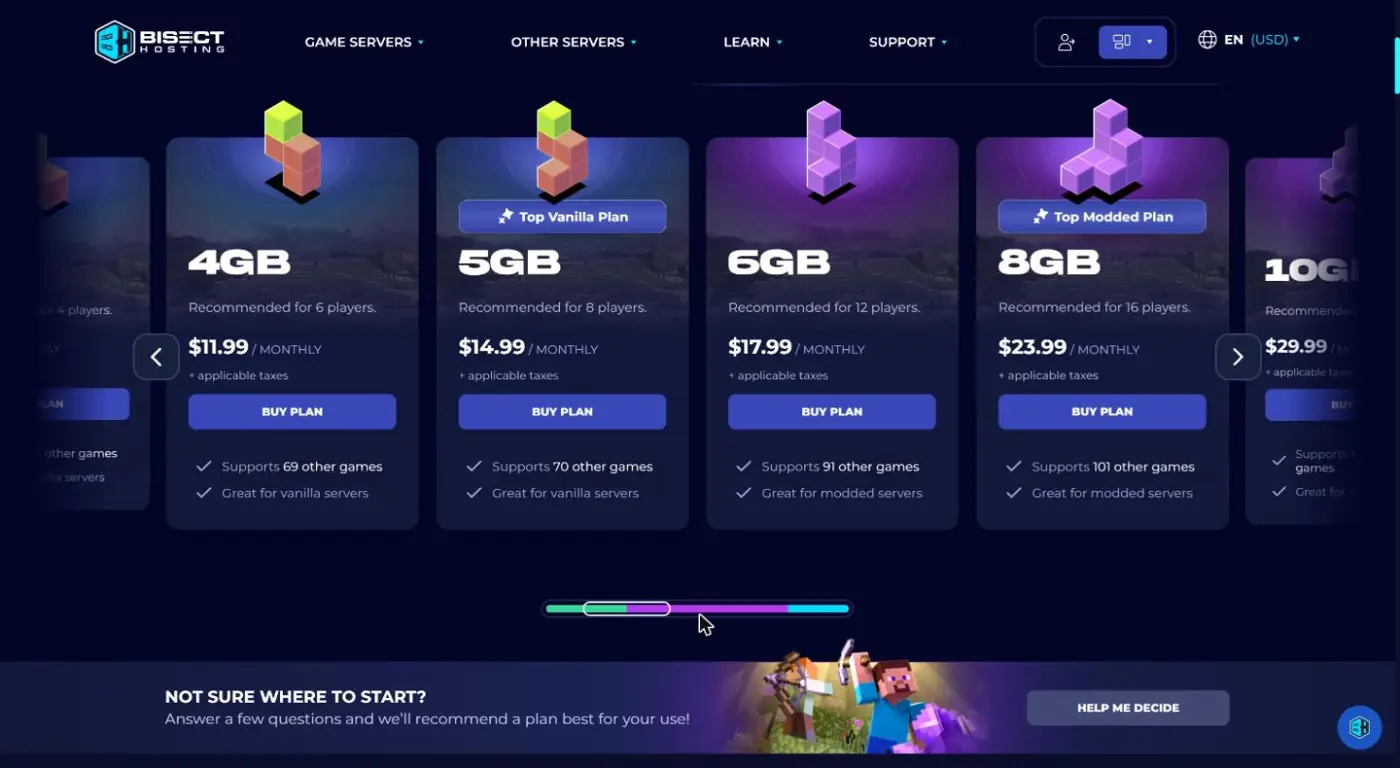
- Price: $2.99/GB per month. 6GB is $17.99, 8GB is $23.99 (“Top Modded Plan”).
- Discounts: 10% off quarterly, 15% off semi-annual, 20% off annual billing.
- Modpacks: 2,300+ one-click installs, plus manual installs.
- Locations: 21 worldwide, and you can switch for free.
- Support: 24/7 live chat and tickets, with about 15-minute average replies.
- Extras: free DDoS protection, NVMe drives, daily backups, instance manager, game swapping across 110+ games.
Pros: great panel for modpacks, many locations, fast support.
Cons: not the cheapest per GB.
Pick it if you want a smooth modded setup and you or your friends live outside the US or EU.
See BisectHosting Minecraft plans
2. PebbleHost Premium: best value
PebbleHost gives you the most power per dollar. Just pick Premium, not Budget, for modpacks.
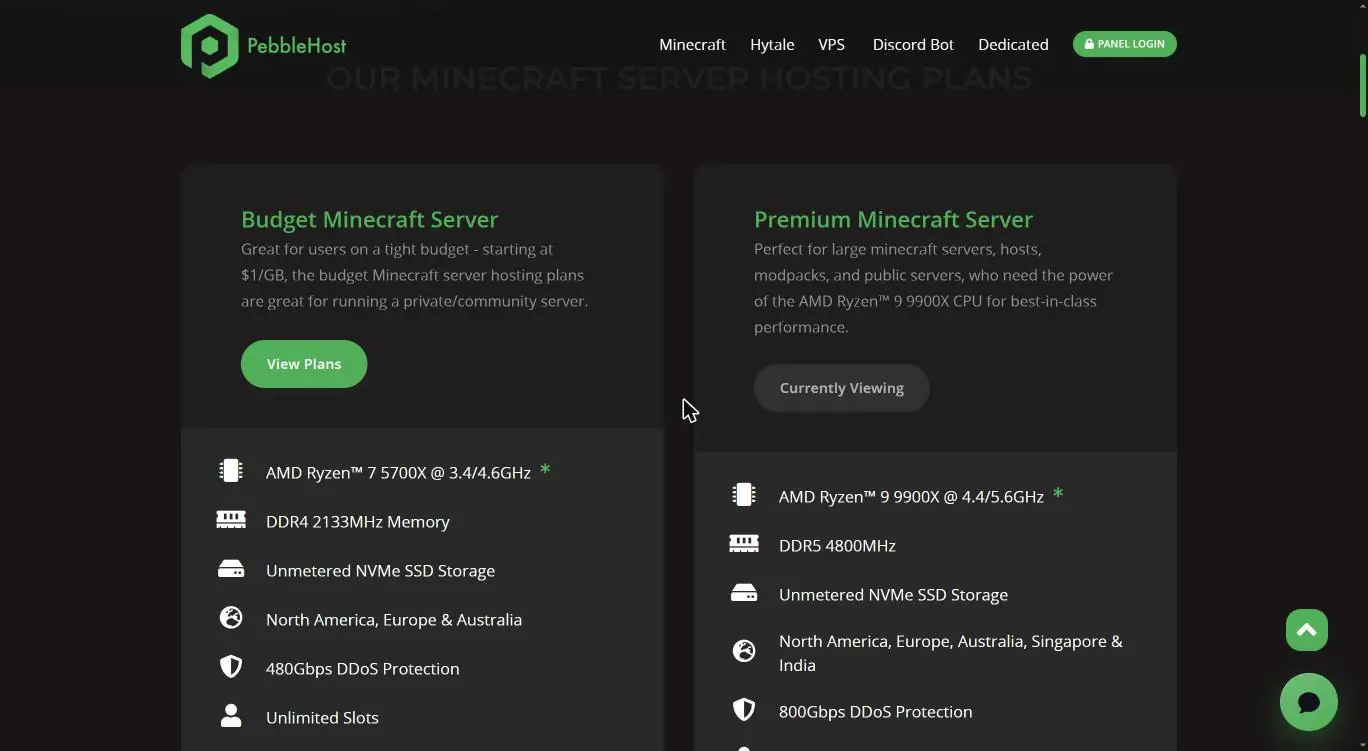
- Price: Budget starts at $1/GB. Premium is about $2.25/GB, so roughly $18 for 8GB.
- Hardware: AMD Ryzen 9 9900X up to 5.6GHz, DDR5 RAM, NVMe storage.
- Modpacks: one-click installer with 12,000 packs (Premium only).
- Backups: free daily plus hourly incremental backups on Premium.
- Refund: 72-hour money-back policy.
Pros: fast CPUs, low price.
Cons: support runs mostly through Discord, fewer locations than Bisect.
PebbleHost itself suggests at least 5GB for modded servers.
3. Shockbyte: easiest for beginners
Shockbyte is simple to start with. You pick a plan, choose a modpack, and play.
- Price: 6GB $23.99, 8GB $31.99, 9GB $35.99 per month.
- Discounts: 10% off quarterly, 25% off annual.
- Modpacks: 2,000+ one-click packs, plus bring-your-own uploads.
- Refund: 72-hour self-serve refund.
Pros: friendly panel, lots of video guides.
Cons: costs the most per GB in this list on monthly billing.
4. Apex Hosting: longest refund window
Apex is a long-running Minecraft host with a 7-day money-back guarantee on first purchases.
- Price: 6GB $22.49, 8GB $29.99, 10GB $37.49 per month (list price).
- Modpacks: 1,000+ one-click packs across CurseForge, FTB, Technic and ATLauncher.
- Panel: Multicraft, with Forge, Fabric and NeoForge switching.
Pros: 7-day refund, frequent first-month promos.
Cons: older panel, higher price than Bisect for the same RAM.
How much RAM does a modded Minecraft server need?
Most modded servers need 6GB to 8GB. Start there and upgrade if you see lag.
| Modpack type | Example | RAM |
|---|---|---|
| Light | Vanilla+ packs | 4GB |
| Medium | Pixelmon, Cobblemon | 6GB |
| Heavy | All the Mods 10, RLCraft | 8GB+ |
Add about 1GB for every 5 to 10 extra players on heavy packs.
Watch: modded server hosts tested
How to set up a modded Minecraft server in 3 steps
- Pick a plan based on your modpack and player count. 8GB covers most packs.
- Install the modpack from the host’s one-click library. Match the exact pack version your players use.
- Share the address. Friends install the same pack in CurseForge or Modrinth and join.
FAQ
What is the best server hosting for modded Minecraft?
BisectHosting is the best all-round pick thanks to 2,300+ one-click modpacks, 21 locations and 24/7 support. PebbleHost Premium is the best value if price matters most.
Can I host a modded Minecraft server for free?
Yes, but free hosts give little RAM and shut down idle servers. Heavy packs rarely run well on them. Hosting at home on your own PC is the real free option.
Is 4GB enough for a modded server?
Only for light packs and a few players. Most popular modpacks need 6GB to 8GB.
Do players need the same mods?
Yes. For Forge, NeoForge and Fabric packs, every player needs the same pack and version installed.
Can I switch modpacks later?
Yes. All four hosts let you reinstall a different pack from the panel. Back up your world first.
Verdict
For most modded servers, go with BisectHosting on the 8GB plan. It has the smoothest modpack setup and support when things break. On a tight budget, PebbleHost Premium gives more speed per dollar.
Running a website too? See our guide to web hosting for beginners and the types of web hosting.