
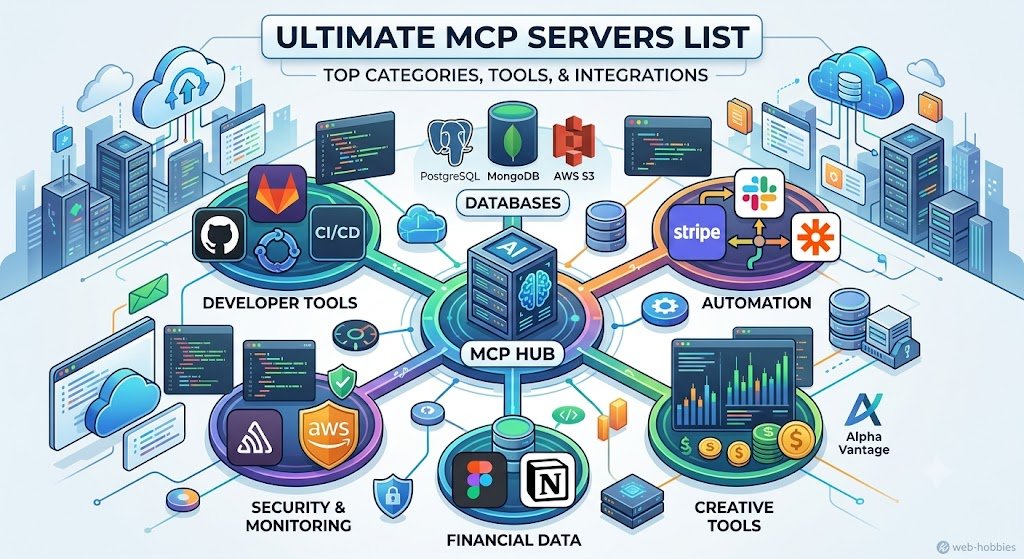
I’ve spent months tracking down every Model Context Protocol server worth using, and the ecosystem has exploded beyond what anyone expected. There are now over 10,000 MCP servers available across dozens of categories, from database connections and cloud platforms to AI coding assistants and financial data feeds. Finding the right ones for your workflow used to mean hunting through GitHub repos and outdated lists.

That’s why I built this guide. The MCP server landscape includes everything from basic file system access to advanced integrations with Stripe, Slack, Postgres, and AWS. Whether you’re using Claude Desktop, Cursor, or another AI tool, the right servers can turn your assistant into a powerhouse that actually gets work done.
I’ve organized this list by category so you can jump straight to what matters for your projects. You’ll find production-ready servers across 15 major categories including developer tools, databases, communication platforms, and specialized business integrations. Each section includes what the servers do, why they matter, and how to get started.
Key Takeaways
- The Model Context Protocol ecosystem includes over 10,000 servers spanning developer tools, databases, cloud platforms, AI automation, and business integrations
- Multiple directories and registries now index MCP servers with install commands, compatibility info, and regular updates
- You can filter servers by programming language, category, and AI client compatibility to find exactly what your workflow needs
Essential Categories of MCP Servers
MCP servers span multiple infrastructure categories, from developer tools and databases to automation workflows and team collaboration. I’ve organized over 2,000 Model Context Protocol servers into these core groups to help you find what you need.
Developer Tools
Developer tools make up the largest category in the MCP ecosystem. These servers connect AI assistants to version control systems like GitHub and GitLab. They handle code review, pull requests, and repository management.
CI/CD integration is another major use case. I can automate builds, run tests, and deploy code through MCP servers that connect to Jenkins, CircleCI, and GitHub Actions. Many developers use these to speed up their workflows.
Monitoring tools also fall into this category. Servers for Sentry, DataDog, and other platforms let me track errors and performance issues directly through AI interfaces. The best MCP servers for developer tools include auth providers that handle OAuth and API key management.
Code quality servers validate syntax, check security vulnerabilities, and enforce style guides. Open source options dominate this space because developers share their implementations freely.
Databases and Storage
Database MCP servers let me query and manage data without switching tools. PostgreSQL, MySQL, and MongoDB all have popular server implementations. I can run queries, check schemas, and export data through natural language commands.
Cloud storage integration is essential. AWS S3 servers handle file uploads, downloads, and bucket management. Cloudflare R2 servers provide similar functionality with lower egress costs. These servers make it easy to work with large files and datasets.
Vector databases like Pinecone and Weaviate have dedicated MCP servers for AI applications. They store embeddings and handle similarity searches. Supabase servers combine database access with auth and storage in one package.
Automation and Workflow
Automation servers connect to platforms like Zapier and Make to trigger workflows. I use these to chain actions together and automate repetitive tasks. They work well for data processing and notifications.
API integration servers let me connect to thousands of services. Stripe for payments, Twilio for messaging, and SendGrid for emails all have MCP implementations. These servers handle authentication and rate limiting automatically.
Infrastructure automation is growing fast. Servers for Terraform and Ansible let me provision resources and manage configurations. The network automation MCP guide covers 56 production-ready servers for infrastructure teams.
Productivity and Collaboration
Productivity servers integrate with tools I use daily. Notion servers read and write pages, databases, and tasks. Slack servers send messages, create channels, and search conversations. These keep my AI assistant connected to my workspace.
Project management servers work with Linear, Jira, and Asana. They create issues, update statuses, and track progress. HubSpot and Salesforce servers handle CRM tasks like updating contacts and logging activities.
Calendar and email servers round out this category. They schedule meetings, send invites, and search messages. MCP.Directory lists over 3,000 servers across productivity categories with one-click installation for popular AI tools.
Spotlight on Leading Server Integrations
The remote HTTP servers that have gained the most traction in 2026 share a common trait: they connect AI directly to tools developers already use every day. GitHub leads in community adoption, Supabase handles backend operations, Stripe processes payments, and the productivity trio of Notion, Slack, and Linear keeps projects moving.
GitHub and GitLab
I’ve found that GitHub MCP consistently ranks as the top server across multiple directories. It connects at https://api.githubcopilot.com/mcp/ and handles repositories, pull requests, issues, and workflows without local installation.
The server lets me search code, create branches, review PRs, and check workflow runs. GitLab offers similar capabilities through a local STDIO connection.
What sets GitHub apart is its massive community backing. Playwright holds the record with over 12,000 GitHub stars among MCP servers, but GitHub’s integration is what most developers reach for first when connecting AI to their development workflow.
Supabase and PostgreSQL
Supabase’s remote server runs at https://mcp.supabase.com/mcp and gives me access to Postgres databases, authentication, storage, and realtime features. I can query data, manage auth policies, and handle file storage through a single HTTP endpoint.
PostgreSQL MCP runs locally through STDIO and connects directly to any Postgres database. I use it when I need raw SQL access without the additional Supabase features.
The key difference is deployment context. Supabase works better for cloud-hosted projects with built-in auth and storage. Plain PostgreSQL makes sense when I’m working with existing databases or need granular control over queries.
Stripe for Payments
The Stripe server connects at https://mcp.stripe.com and uses OAuth for authentication. I can manage payments, subscriptions, and invoices directly from AI prompts.
This integration handles customer data, payment methods, and transaction history. It’s particularly useful when building AI agents that need to check subscription status or generate invoices based on usage patterns.
Stripe joined the growing list of hosted HTTP endpoints that now includes 30+ platforms. PayPal and Cashfree offer similar payment capabilities but Stripe’s API design and documentation make it the go-to choice.
Notion, Slack, and Linear
These three productivity platforms all moved to remote HTTP servers in 2026. Notion connects at https://mcp.notion.com/mcp for pages and databases. Slack runs at https://mcp.slack.com/mcp for messages and channels. Linear uses https://mcp.linear.app/mcp for issues and projects.
All three require OAuth authentication. I can read Notion pages, search Slack conversations, and update Linear issues without switching contexts.
Linear’s integration with development workflows makes it especially powerful when combined with GitHub MCP. I can link commits to issues, update status based on PR activity, and track cycles programmatically. Slack fills the communication gap while Notion handles documentation and knowledge management.
AI-Driven Coding and Automation Servers
MCP servers built for coding and automation give AI agents direct control over browsers, code generation, and data retrieval. These tools let me run Playwright scripts, scrape live web data, and build RAG pipelines that pull context from embeddings.
Coding Agents and Copilot
I use coding agents to write and refactor code without switching between tools. Ultimate MCP Server acts as a comprehensive AI agent operating system that exposes capabilities like multi-provider LLM delegation and command-line utilities.
Copilot integrations let me generate functions, debug errors, and suggest fixes in real time. These agents understand my codebase context and can make changes across multiple files.
The best MCP servers for this include:
- Claude Code integration for inline suggestions
- GitHub Copilot MCP bridges
- Custom coding agents with project-specific knowledge
I can ask my agent to “add error handling to this function” and it writes the try-catch block with proper logging. This saves me hours of repetitive work.
Playwright for Browser Automation
Playwright MCP servers give my AI agents full browser automation capabilities. I can scrape dynamic content, test web apps, or automate repetitive tasks across any site.
Web automation through Playwright lets me:
- Fill forms and click buttons
- Take screenshots and PDFs
- Run tests across Chrome, Firefox, and Safari
- Handle JavaScript-heavy sites that standard scrapers miss
The Ultimate MCP Server includes browser automation alongside other agent capabilities. This means I can combine web scraping with document processing or database queries in one workflow.
I use Playwright when I need to log into sites, wait for content to load, or interact with complex interfaces. It’s more powerful than basic HTTP requests.
RAG and Retrieval Workflows
RAG (Retrieval Augmented Generation) workflows let my agents pull relevant context before generating responses. I store documents as embeddings and retrieve the most similar chunks when needed.
MCP servers handle the entire RAG pipeline:
- Chunk documents into smaller pieces
- Generate vector embeddings
- Store in a database
- Search by semantic similarity
Exa and similar services provide semantic search that goes beyond keyword matching. I can ask “find articles about MCP security” and get results based on meaning, not just exact phrases.
The Ultimate MCP Server provides vector operations and cognitive memory systems built for retrieval workflows. This lets me build agents that remember past conversations and pull from my knowledge base.
Web Scraping and Data Extraction
Web scraping MCP servers extract clean data from any site. I point my agent at a URL and get structured JSON back instead of raw HTML.
Modern scraping tools handle:
- JavaScript rendering
- Anti-bot protection
- Rate limiting and retries
- Data cleaning and normalization
I use these servers when I need product data, news articles, or public records at scale. The agent can scrape hundreds of pages and format everything consistently.
MCP servers for developers in 2026 include specialized scraping tools that work with Claude Code, Cursor, and other AI assistants. I can tell my agent “get all pricing data from these competitor sites” and it handles the technical details.
Cloud, Monitoring, and Security Connections
Major cloud providers and security platforms now offer MCP servers that connect AI directly to infrastructure, logs, and authentication systems. These tools help you monitor performance, track errors, and manage access without switching between dashboards.
AWS and Cloudflare
AWS launched its managed MCP server on May 6, 2026 with access to over 15,000 API operations. The server includes a call_aws tool that fronts AWS services, run_script for sandboxed Python execution, and documentation search that works without authentication.
The catch is authentication. AWS uses IAM SigV4 instead of OAuth, so you need to run an open-source MCP Proxy to connect. Requests log to CloudTrail and meter in CloudWatch under the AWS-MCP namespace.
Cloudflare’s remote MCP runs at https://mcp.cloudflare.com/mcp and manages Workers, KV storage, R2, and DNS. It uses standard OAuth and connects with just a URL.
Monitoring and Observability
I found that monitoring MCP servers track errors and query metrics directly from AI workflows. Sentry moved to a remote HTTP endpoint at https://mcp.sentry.dev/mcp and handles error tracking, issue triage, and performance monitoring through OAuth.
Datadog offers metrics, logs, traces, and monitor management through a local STDIO server. Grafana connects to dashboards, panels, alerts, and data sources the same way.
New Relic and PagerDuty also ship MCP servers for APM data and incident management.
Application Security and Auth
Security-focused servers help you manage authentication flows and track vulnerabilities. Supabase’s remote server at https://mcp.supabase.com/mcp includes built-in auth alongside database and storage tools.
The MCP registry lists additional security servers for secrets management and access control. Most security servers use OAuth 2.0 or OAuth 2.1 for authentication.
Snowflake’s approach differs by putting the MCP endpoint inside your account rather than at a shared URL. This keeps data isolated but means you provision the server as a Snowflake object instead of looking up a public address.
Creative, Productivity, and Search Tools

MCP servers bring powerful integrations for design work, note-taking, web search, and documentation directly into AI workflows. These tools help me connect my creative apps and knowledge bases to Claude Desktop and other AI assistants.
Figma and Design Tools
Figma MCP servers let me pull design files and components directly into my AI conversations. I can ask Claude about design systems, extract color palettes, or discuss layout decisions without switching between apps.
The most popular design integrations connect to Figma’s API to read files, inspect layers, and grab asset information. Some servers also work with Sketch and Adobe XD files. I find these especially useful when working in Cursor IDE because I can reference design specs while coding.
Key features I use:
- Read artboard and frame data
- Extract design tokens and styles
- Pull component documentation
- Generate code from designs
Knowledge Management with Notion
Notion servers connect my workspace databases and pages to AI assistants. I can search across all my notes, update project wikis, and create new pages without leaving Claude Desktop.
The productivity MCP servers category includes multiple Notion integrations. These servers read database properties, query pages by tags or dates, and write content back to my workspace. I mostly use them to find information buried in old meeting notes or project docs.
Some Notion servers also sync tasks and reminders. This means I can ask Claude to add items to my to-do list or check what’s due this week.
Search and Data Discovery
Search servers give me access to Brave Search, Google, and specialized search engines through MCP. Instead of opening a browser, I query the web directly from my AI chat.
Brave Search is one of the most common integrations I see in the complete directory of 2,000+ servers. It returns clean results without tracking. I also use servers that connect to Google Drive to search my own documents and spreadsheets.
Search tools available:
- Web search (Brave, Google)
- Academic paper search
- Code repository search
- File system search
The trending servers in this category focus on real-time data and news feeds.
Documentation and Learning Resources
Documentation servers help me access technical references, API docs, and learning materials. These are critical when I’m coding or researching unfamiliar topics.
Popular options include servers for Stack Overflow, GitHub repositories, and official framework docs. Some pull README files from repos automatically. Others let me search MDN web docs or language specifications.
I find these particularly helpful in Cursor IDE where I can reference documentation while writing code. The servers cache frequently accessed docs to speed up responses.
Financial Data and Market Insights MCP Servers

Financial MCP servers expose market data and trading capabilities as tools that AI models can call directly. They remove the need for custom API wrappers or manual parsing when building trading bots and research tools.
Alpha Vantage for Financial Markets
The Alpha Vantage MCP server gives me access to real-time and historical stock data through a simple interface. I can pull price quotes, company earnings, and global market information without writing custom API code.
Alpha Vantage supports over 50 countries and provides data on stocks, forex, and cryptocurrencies. The server handles API key management and rate limiting automatically.
When I need to build financial agents or trading assistants, this server delivers the market data I need in a format AI models can understand. The data comes from reliable sources and updates throughout the trading day.
Technical Indicators and Fundamentals
MCP servers for stock market data now include built-in technical indicators and fundamental analysis tools. I can access moving averages, RSI, MACD, and other indicators without calculating them myself.
Fundamental data includes earnings reports, balance sheets, cash flow statements, and key financial ratios. Some servers provide Black-Scholes Greeks, Sharpe ratios, and Sortino ratios as built-in functions.
MarketXLS and other financial MCP servers offer over 1,100 functions for analyzing market data. These tools help me build screeners and automated research systems faster.
Cloud Data Analysis
Modern MCP servers process financial data in the cloud before sending it to my AI agent. This approach reduces the amount of raw data I need to handle locally.
Cloud processing enables me to run complex queries across multiple stocks and time periods. The server does the heavy lifting and returns only the results I need.
Some platforms combine market data with alternative data sources like social media sentiment and news feeds. This gives me a more complete picture when building trading algorithms or market analysis tools.
Developer Experience and Custom Configurations
Testing your MCP servers and setting them up correctly makes a big difference in how well they work with AI tools. You need the right inspection tools, proper configuration files, and reliable access methods to get everything running smoothly.
MCP Inspector and Testing Tools
The MCP Inspector helps you test and debug your servers before connecting them to AI applications. This tool lets you see what’s happening behind the scenes when your server processes requests.
I can use the inspector to check if my server is exposing the right tools and resources. It shows me real-time data about server responses and helps catch errors early.
The inspector works with both local and remote servers. I just point it at my mcp-server endpoint and start testing individual functions.
Key features include:
- Request monitoring to see what data flows between the AI and server
- Error logging that shows exactly where things break
- Tool validation to confirm all functions work as expected
- Resource inspection for checking available data sources
Configuration for Claude and Cursor
Setting up servers in Claude Desktop and Cursor requires editing specific JSON configuration files. For Cursor, I need to modify the .cursor/mcp.json file in my project directory.
The configuration includes the server command, arguments, and environment variables. Each entry tells the AI tool how to start and communicate with the server.
Here’s what a basic configuration looks like:
- Server name and description
- Command path to start the server
- Required API keys or credentials
- Connection timeout settings
Claude Desktop uses a similar setup but stores configurations in a different location. I can run multiple servers at once by adding separate entries for each one.
Streamable HTTP and Remote Access
Streamable HTTP connections let me access MCP servers over the network instead of just locally. This matters when I want to share servers across teams or deploy them on cloud infrastructure.
Remote servers need proper authentication and secure endpoints. I set up HTTPS with valid certificates to protect the data flowing between my AI tool and the server.
The MCP ecosystem has grown to over 10,000 servers, with many supporting remote access out of the box. Projects dynamically expose their own remote endpoints for real-time context injection.
Performance stays good with streaming because responses come back in chunks. I don’t have to wait for the entire response before my AI tool starts processing information.
Contributing and Community Resources
The Model Context Protocol ecosystem thrives on developer contributions and shared knowledge. Most MCP servers are open source projects hosted on GitHub, and multiple registries make it easy to discover and submit new servers.
Open Source Collaboration
I found that most MCP servers live as open source projects on GitHub. This means I can view the code, report bugs, and suggest improvements directly.
When I want to contribute, I start by checking the issues tab on a server’s repository. Many projects label beginner-friendly tasks as “good first issue.” I can also fork repositories to add features or fix problems, then submit pull requests back to the original project.
The community has built thousands of servers across different categories. I benefit from their work, and I can give back by improving documentation, adding examples, or creating new integrations. Most projects include a CONTRIBUTING.md file that explains their specific guidelines.
MCP Server Submission
I can submit my own MCP server to multiple directories once it’s ready. The process usually requires a GitHub repository with clear documentation about what my server does and how to install it.
Popular submission platforms include:
- MCP Registry – The official listing maintained by the protocol creators
- Community directories – Sites like MCP Directory and mcpservers.org
- Aggregators – Collections that pull from multiple sources
I need to provide a clear description, installation instructions, and usage examples. Many directories update automatically when I publish to npm or create a GitHub release.
Accessing the MCP Registry
I can browse published servers on the MCP Registry to find tools for my specific needs. The registry includes official servers and verified community contributions.
Each listing shows me the server’s purpose, installation commands, and configuration requirements. I can filter by category like productivity, development, or web scraping. The registry links directly to each server’s documentation and GitHub repository where I can read more detailed setup guides.
Frequently Asked Questions
Developers working with Model Context Protocol need clear answers about which servers to use, where to find them, and how to pick the right one. The ecosystem now includes thousands of options across different languages and use cases.
What are the best MCP servers to use right now?
The top MCP servers depend on what you need to build. For database work, Postgres and MongoDB servers are widely used. If you need web automation, Playwright and Puppeteer servers handle browser control well.
GitHub integration servers rank high for development workflows. Slack and Discord servers are popular for communication features. Search servers like Brave and Tavily help with information retrieval.
I recommend starting with servers that match your tech stack. A complete directory of production-ready MCP servers shows over 70 tested options including GitHub, Stripe, Figma, and Notion.
Where can I find a well-maintained MCP servers list on GitHub?
The main source is the awesome-mcp-servers repository on GitHub. This list gets updated by the community and includes new servers regularly.
Several sites pull from this upstream source. One comprehensive list of over 2,000 MCP servers refreshes every 6 hours from the awesome-mcp-servers repository. It adds GitHub stars, install commands, and license data.
The advantage of using these aggregated lists is that they track removed servers and keep the catalog clean. You get machine-readable formats and API access too.
Which MCP servers are most popular with developers, and why?
Developer tools and version control servers get the most attention. GitHub servers let AI assistants read code, create issues, and manage pull requests directly.
Database servers for Postgres, MySQL, and MongoDB are heavily used because most applications need data access. These servers let AI tools query and modify database records safely.
Browser automation servers using Playwright rank high because they enable web scraping and testing. File system servers are popular for reading and writing local files. I’ve seen 70+ curated MCP servers that developers actively test and deploy.
Are there any free MCP servers that are actually worth using?
Most MCP servers are open source and completely free. The quality varies, but many free servers work well in production.
GitHub-based servers are free and reliable for version control tasks. FastMCP framework servers help you build custom servers without cost. Postgres and MySQL servers are free and handle real workloads.
Free browser automation servers work fine for basic scraping. Search servers from Brave and Tavily offer free tiers. I use several free servers in my own projects without issues.
How do I choose the right MCP server for my project and stack?
Start by identifying what your AI assistant needs to do. If it needs to read files, look for file system servers. For database access, pick a server that matches your database type.
Check the implementation language. TypeScript and Python servers are most common, but Go and Rust options exist too. Match the language to what your team knows.
Look at GitHub stars and recent commits. Active maintenance matters more than star count alone. Test the server with your specific use case before committing. Various MCP directories let you filter by language and category to narrow your choices.
What are the most recommended MCP servers people talk about on Reddit?
Reddit discussions often mention GitHub servers as essential for coding workflows. Developers praise them for making AI assistants more useful with repository access.
Postgres servers come up frequently because they’re stable and well-documented. People recommend browser automation servers for scraping projects that need reliable page interaction.
Slack integration servers get mentioned for team workflows. The FastMCP framework appears in discussions about building custom servers quickly. I see Stripe servers recommended for payment integration work.