
Ask Claude for a screen and you get a working UI. Ask ten times and you notice the pattern: a purple gradient, identical rounded cards, gray all-caps labels, and no focus states. I wanted to know which UI skills fix that. So I gave Claude one real job, a billing settings screen for a made-up invoicing app called Tally, and built it with and without a design skill. Then I ran two review skills on the result, including one I made myself with /skill-creator. Here is what changed.
TL;DR
- Best overall:
frontend-designby Anthropic. It turned a generic card grid into a screen built around the product. - Best UI reviewer: Vercel’s
web-design-guidelines. It found 16 problems with line numbers. My plain review found 7, mostly about looks. - Best for Claude Code:
impeccableandtaste-skill, two big community packs for polish and anti-slop layouts. - Best quick win: a
ui-polish-passskill I made with/skill-creator. It caught a failing contrast ratio and tiny tap targets that both other runs missed.
| Skill | Best for | Works in | Tested here |
|---|---|---|---|
| frontend-design | Building a distinct UI | Claude app, Claude Code | Yes, with and without |
| web-design-guidelines | Reviewing UI code | Claude app, Claude Code | Yes, with and without |
| taste-skill | Anti-slop layouts | Claude Code | Reviewed |
| impeccable | Polish and audit commands | Claude Code | Reviewed |
| emil-design-eng | Animation and micro-interactions | Claude app, Claude Code | Reviewed |
| UI/UX Pro Max | Design systems | Claude Code | Reviewed |
How I tested
A UI skill is a SKILL.md file of instructions Claude reads before it builds or reviews a screen. To see what a skill adds, I kept everything else the same:
- One brief: “Build the billing settings screen for Tally, a small invoicing app: current plan, usage, payment method, invoice history and a cancel button. One HTML file.”
- Run A had no skill. Run B loaded
frontend-designfirst and followed it. - I then ran two review skills on the same files and checked their claims myself: contrast with the WCAG formula, tap targets measured in a 390px phone viewport.
I ran these tests in a Claude session with the skills’ public SKILL.md files, not by clicking through the Claude app, and I didn’t add any new skills to my account for this article. Install counts come from skills.sh and star counts from GitHub, both checked on the day I published.
Test 1: building a screen, with and without frontend-design
Without a skill, Claude made exactly what you’d expect. A purple gradient header, four white cards with the same 16px radius and the same soft shadow, gray all-caps labels, Inter, and a text link to cancel the plan. It works. It also looks like a thousand other AI dashboards.
With frontend-design, the skill made Claude write a short design plan first, check it against common AI looks, and only then code. The result was a settings layout with labels on the left and content on the right, a serif heading, and one memorable element: usage shown as 50 small blocks, 36 of them filled, like a stack of sent invoices. The copy got better too. “Upgrade Plan” became “Change plan,” and the cancel row now says you keep Pro until October 31.
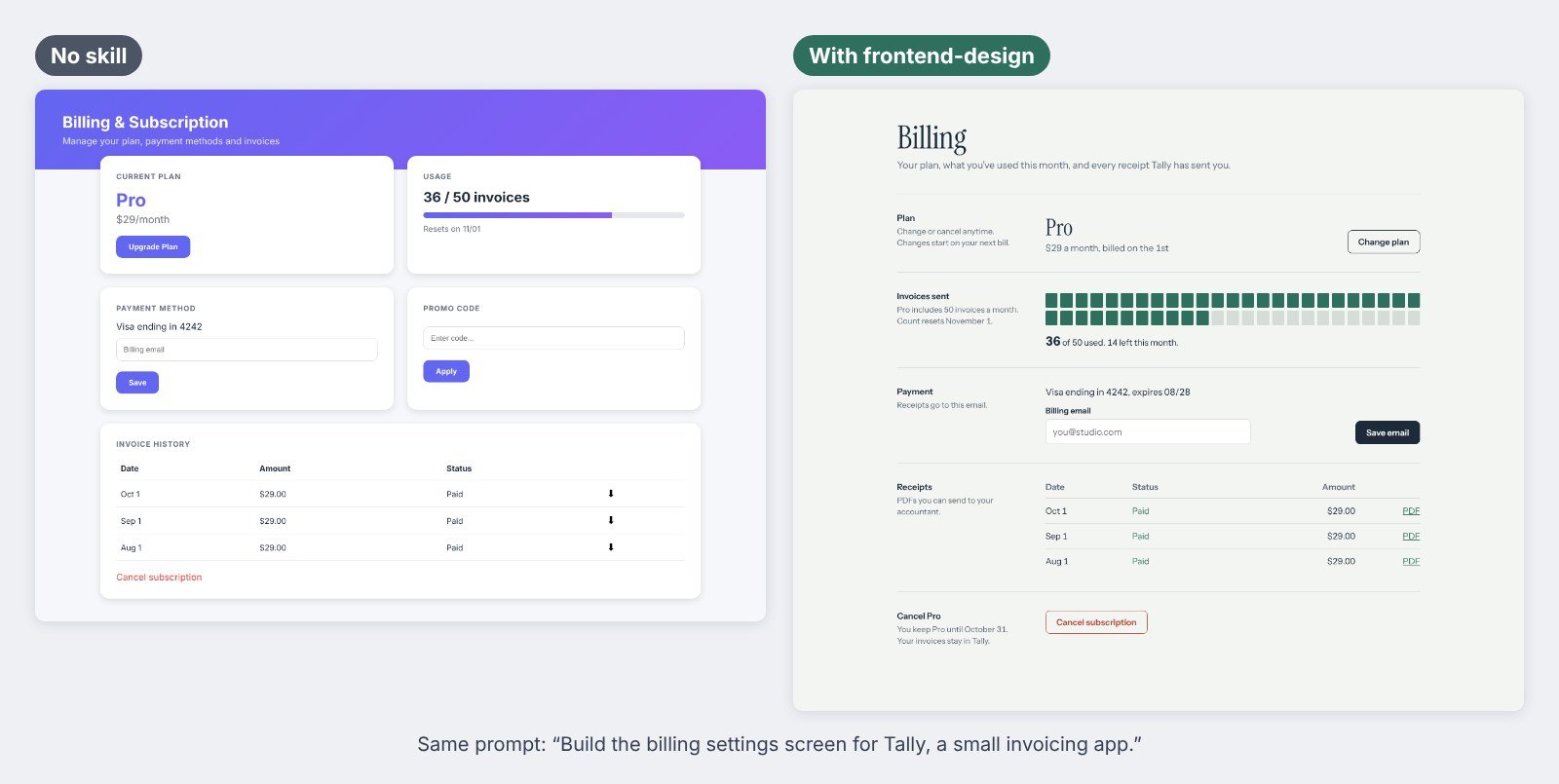
The quiet win was the stuff you can’t see in a screenshot. The skill version had visible keyboard focus, real form labels, an email input type and a mobile layout. The no-skill version removed focus outlines on every button and input.
Test 2: a UI review, with and without web-design-guidelines
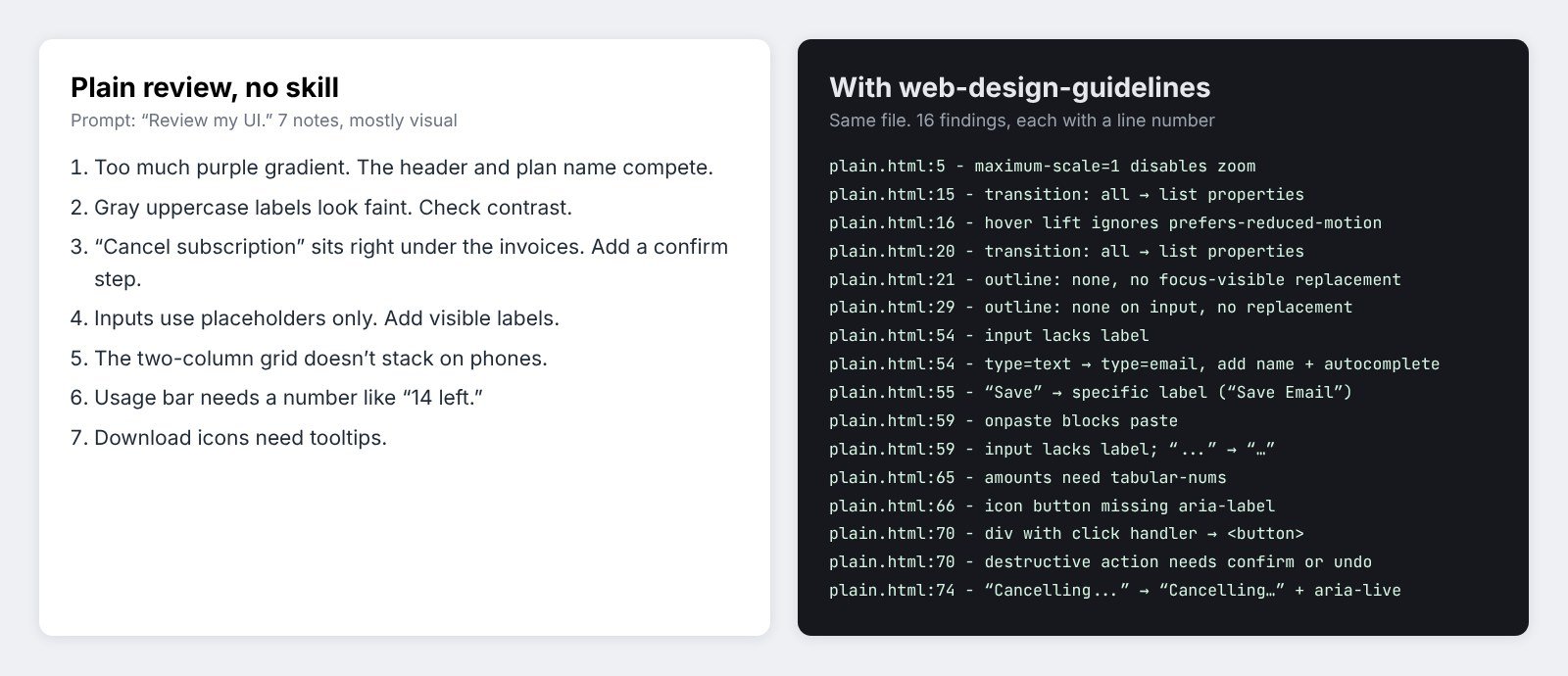
Next I asked Claude to “review my UI” on the no-skill file. Without a skill, I got 7 notes. Most were about looks: too much gradient, faint labels, add a confirm step to cancel. Useful, but vague, and one note was wrong. It called the gray labels a contrast risk, but they measure 4.83:1, which passes WCAG AA.
With web-design-guidelines, the skill first fetched Vercel’s latest Web Interface Guidelines, then checked the file rule by rule. It returned 16 findings, each tied to a line: zoom disabled in the viewport tag, transition: all, outlines removed with no replacement, a promo field that blocks paste, an icon button with no label, and a div used as the cancel button.
I also ran it on the frontend-design version. It found 4 small issues, and one was a real conflict between skills: Vercel’s rules want Title Case buttons, while frontend-design asks for sentence case. Pick one rule for your product and tell Claude.
The gap I spotted: neither run checked color contrast with numbers or measured tap targets. That gave me the idea for my own skill, which you’ll see below.
The best UI skills for Claude
Install counts are from skills.sh and stars from GitHub on the day I checked. Several top-ranking lists still show numbers from months ago.
1. frontend-design: best overall
What it does: pushes Claude to pick a clear visual direction from the subject before it writes code, and to avoid the usual AI tells like a single accent word in a headline or ALL-CAPS labels everywhere.
In my test: the biggest visual change of any skill, plus better copy and accessibility basics.
Where to get it: Anthropic’s skills repo. It had 996.9K installs on skills.sh when I checked, the most of any UI skill.
Tip: give it the real product and audience. “A billing page for freelancers who send invoices” beats “a billing page.”
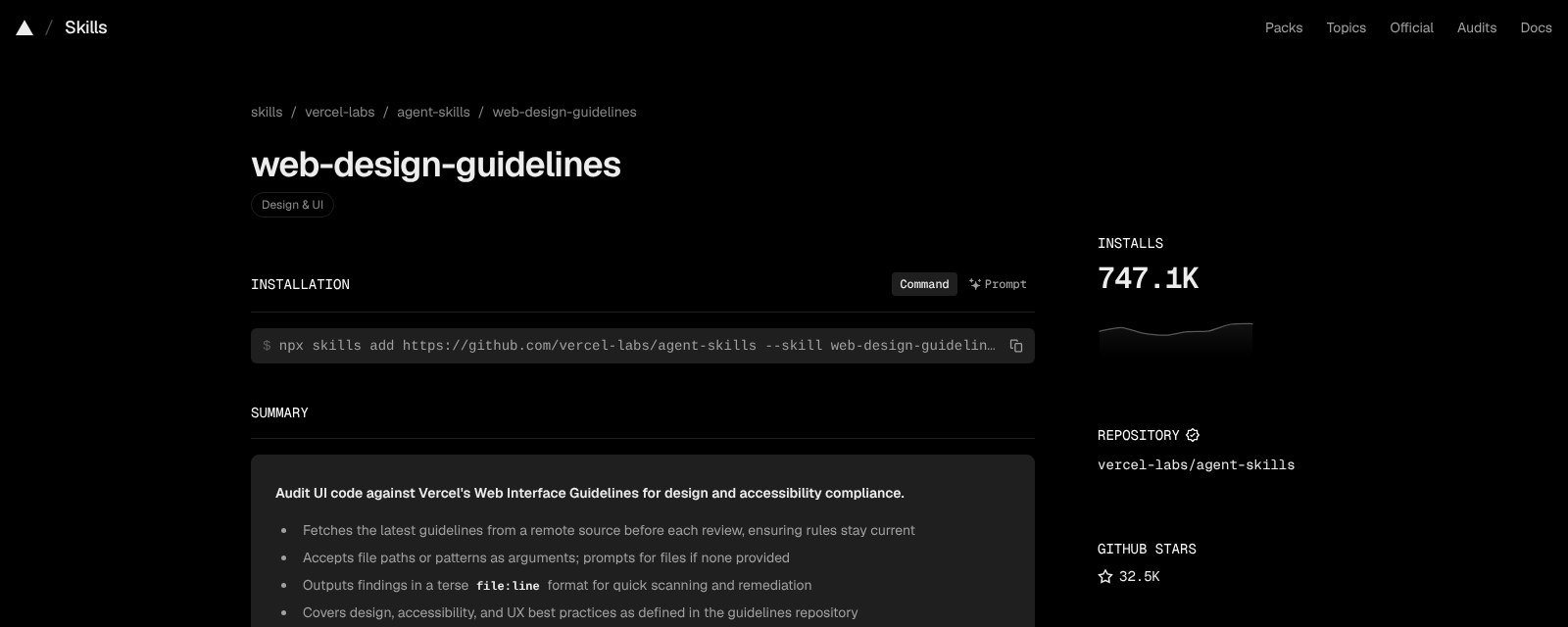
2. web-design-guidelines: best for reviewing UI code
What it does: fetches Vercel’s Web Interface Guidelines fresh on every run and checks your files for accessibility, focus states, forms, animation, typography and copy. Output is terse file:line findings.
In my test: more than twice as many findings as a plain review, and all of them actionable.
Where to get it: vercel-labs/agent-skills, MIT licensed, 32.5k stars and 747.1K installs when I checked.
Tip: it needs web access to pull the rules. In the Claude app, keep web search on.
3. taste-skill: best for anti-slop layouts
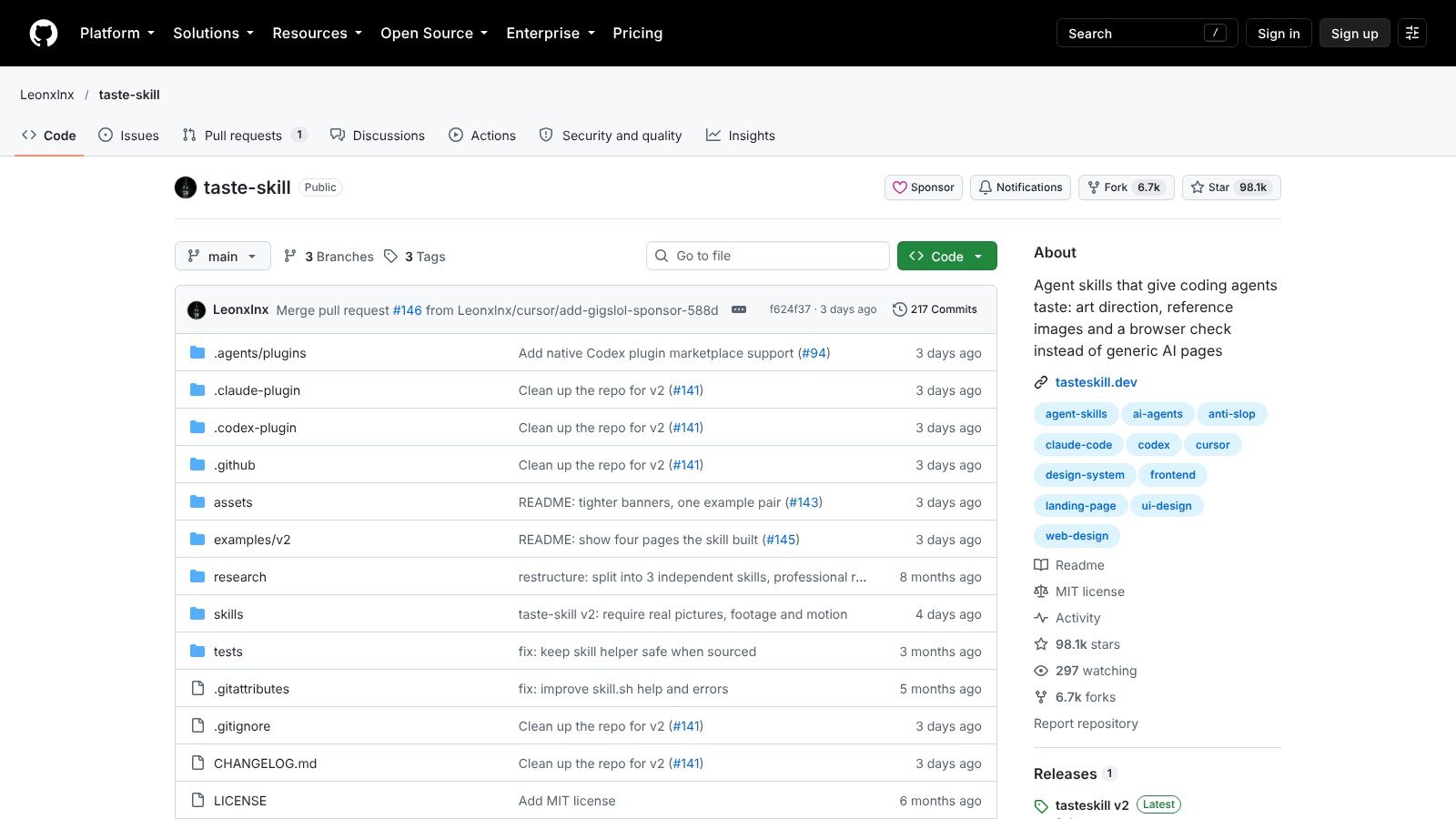
What it does: a pack of skills that steer layout, type, motion and spacing away from generic AI pages. The main skill does art direction first, and there are style variants like minimalist, brutalist and soft premium, plus a redesign skill for existing projects.
In my test: reviewed, not run. The README says a full build takes 30 to 45 minutes and a few hundred thousand tokens, so it fits landing pages more than quick settings screens.
Where to get it: Leonxlnx/taste-skill, MIT licensed, 98.1k stars, and 625.4K installs for the main skill when I checked.
Tip: install one skill, not the whole pack: npx skills add https://github.com/Leonxlnx/taste-skill --skill design-taste-frontend.
4. impeccable: best polish toolkit for Claude Code
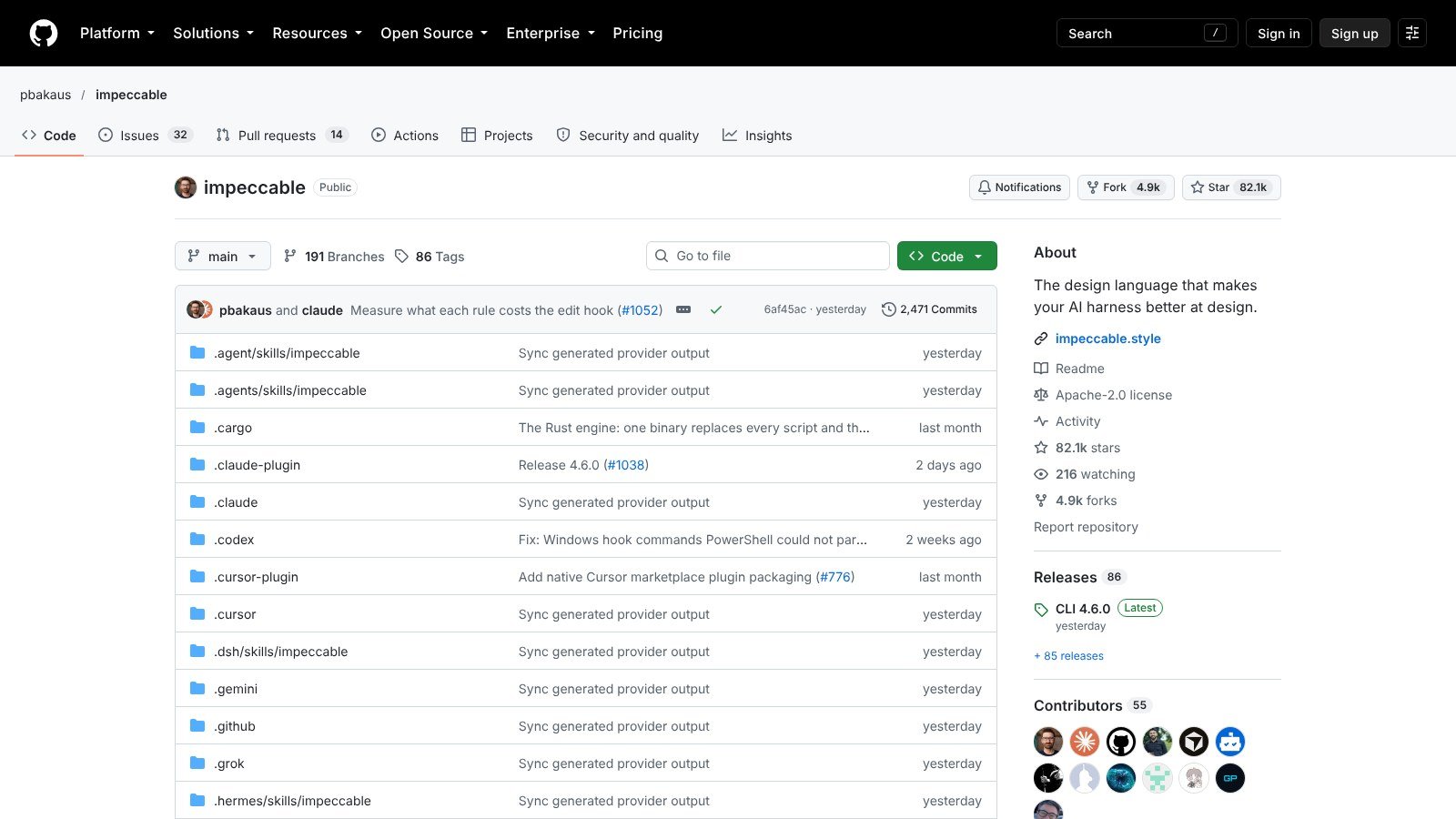
What it does: one skill with 24 commands, run as /impeccable polish, /impeccable audit, /impeccable critique, bolder, quieter and more. It also ships 59 rule-based detectors that flag common AI design mistakes without an API key.
In my test: reviewed. It overlaps with frontend-design and web-design-guidelines, but gives you one command set for both building and reviewing.
Where to get it: pbakaus/impeccable, Apache 2.0, 82.1k stars and 338.8K installs when I checked.
Tip: run /impeccable init once. It writes a PRODUCT.md with your audience and voice so later commands stop guessing.
5. emil-design-eng: best for animation and micro-interactions
What it does: Emil Kowalski’s design engineering skill, mostly about motion: the right easing, duration and properties, plus general UI advice. The same repo has smaller skills like review-animations and animation-performance.
In my test: reviewed. My billing screen had almost no motion, so it wasn’t a fair test. If your UI has drawers, toasts or page transitions, this is the one to add.
Where to get it: emilkowalski/skills, MIT licensed, 359.4K installs when I checked.
Tip: pair it with frontend-design. One handles how it looks, the other how it moves.
6. UI/UX Pro Max: best for design systems
What it does: generates a design system for your project type from a searchable library of 79 styles, 192 color palettes and 74 font pairings.
In my test: reviewed. I covered it in my design skills test. It’s strongest when you start a new app and need tokens before screens.
Where to get it: nextlevelbuilder/ui-ux-pro-max-skill, MIT licensed, 136.6k stars when I checked.
Tip: pick one style and lock it in your project notes, or each session may drift to a new look.
How to get UI skills in Claude: make your own or install one
1. Make your own with /skill-creator (fastest)
The two review runs left a gap: no real contrast numbers, no measured tap targets, no check for loading and empty states. So I made a polish skill with /skill-creator, using this prompt:
“/skill-creator Make a skill named ui-polish-pass: before handing over any UI (HTML, React or Tailwind), run a polish checklist: states (hover, focus-visible, active, disabled, loading, empty, error), spacing on a 4/8px scale, type scale and line length, contrast AA, touch targets 44px, reduced motion, real copy (specific button labels, no lorem), and output a short table of fixes with file:line, then apply them. Keep it short.”
The SKILL.md took a few minutes. It has a “pushy” description so it triggers on “polish this” or “make it production ready,” a 7-step checklist in a fixed order, a one-table report with a “Not checked” line for anything it can’t verify from code, and a final step that applies the fixes.
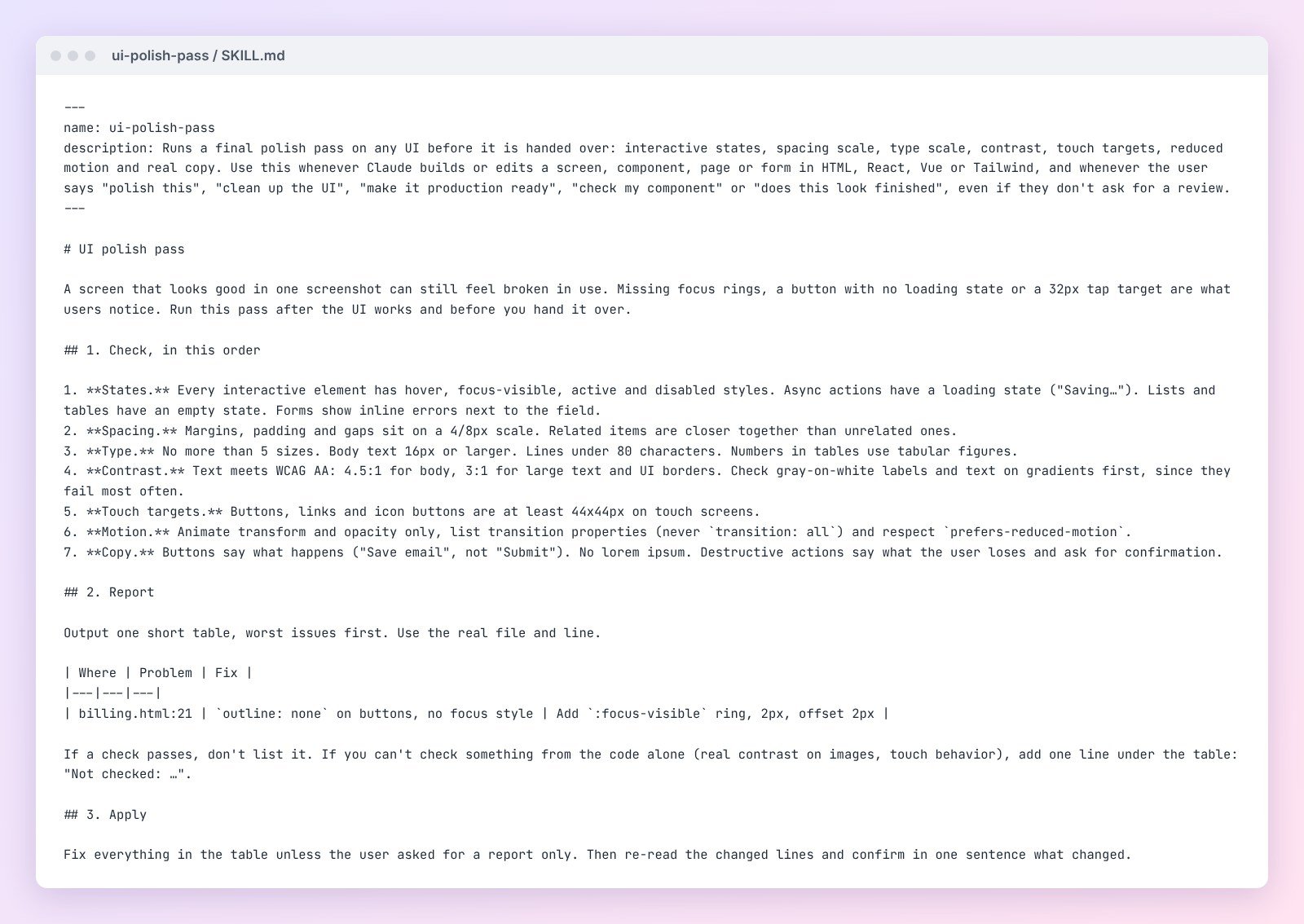
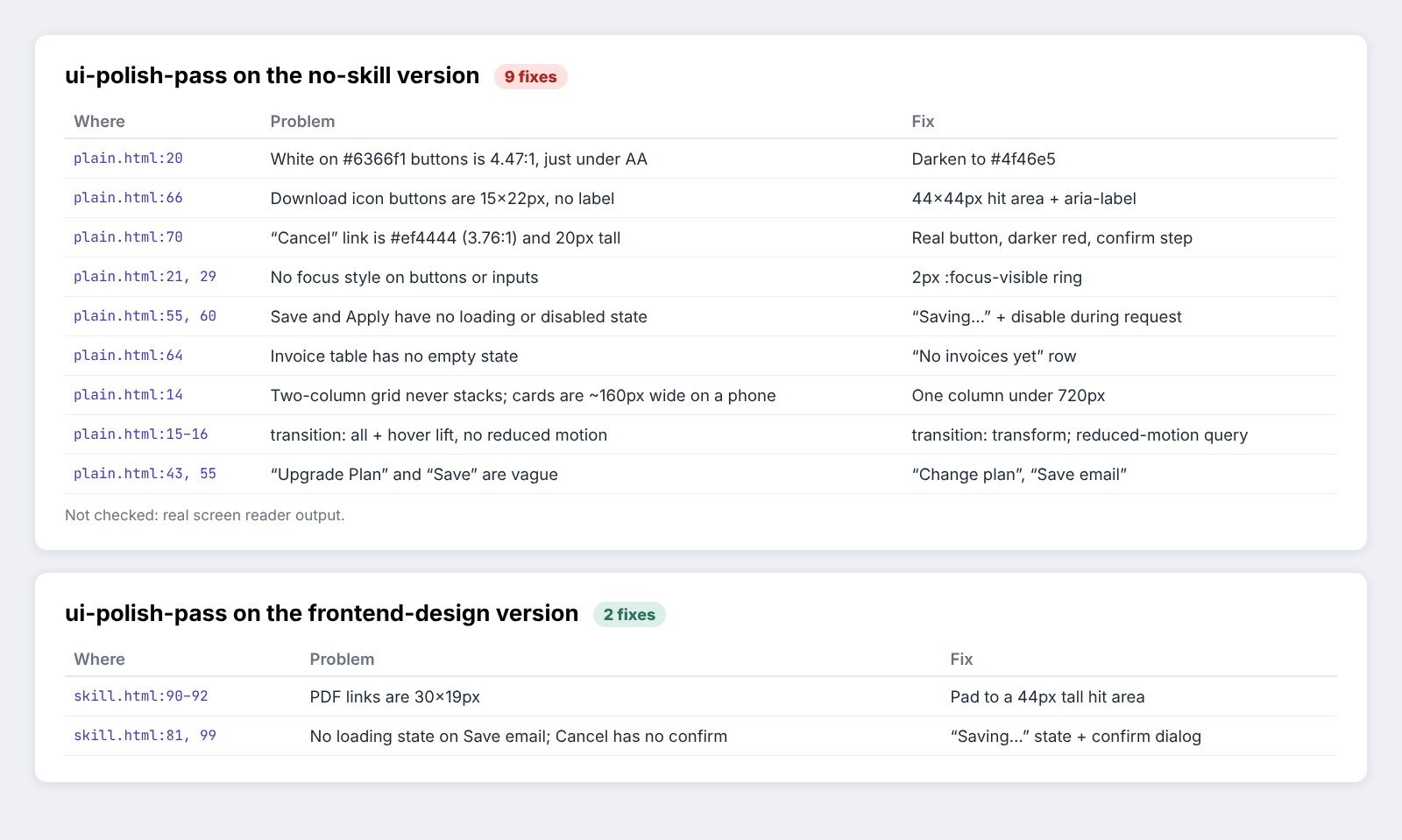
Then I ran it on both screens. On the no-skill version it listed 9 fixes, including two that neither earlier run caught: white text on the indigo buttons measures 4.47:1, just under the 4.5:1 AA line, and the download icons are only 15 by 22 pixels. On the frontend-design version it found 2. The PDF links are 30 by 19 pixels, too small for a thumb, and the Save and Cancel buttons have no loading or confirm step. So even the best-looking screen had something to fix.
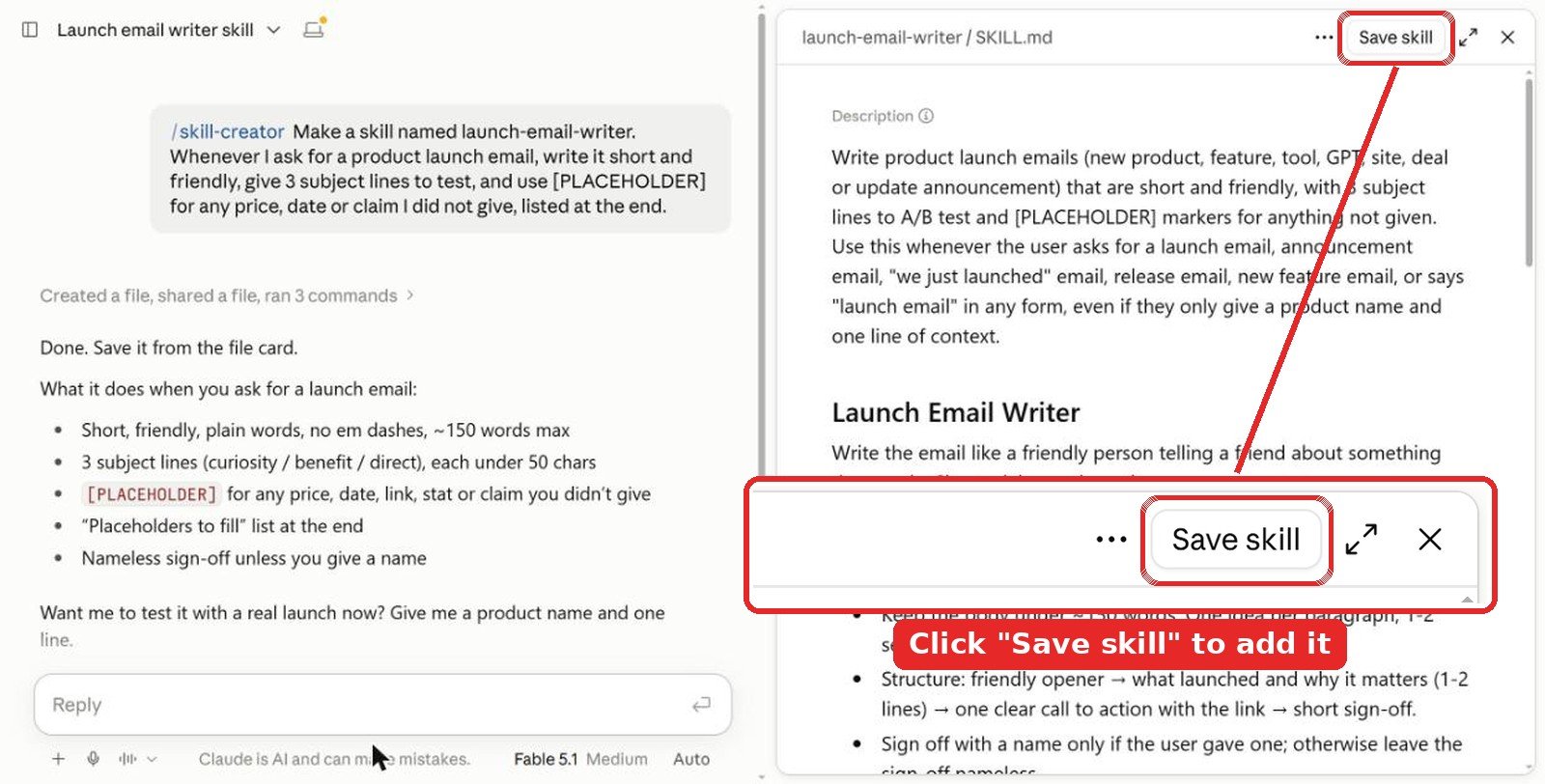
Don’t skip the save step. The skill is only a draft in that chat until you click Save skill at the top right of the SKILL.md preview. Close the chat without saving and it’s gone.
Name it from the start. Put the name in your first message, like “Make a skill named ui-polish-pass…”, and skill-creator uses it. If you forget, it picks one for you. You can ask “rename it to …” in the same chat before you save, or change it later in Customize > Skills with the Edit button.
Tip: add your own rules. If your product uses sentence case or a fixed spacing scale, write that into the skill so every screen follows it.
2. Install in the Claude app
Skills work on Pro, Max, Team and Enterprise plans and need code execution, so turn on Code execution and file creation first.
- Download the skill folder you want (for example
skills/web-design-guidelinesfrom Vercel’s repo) and zip it. - Open Customize > Skills (some help pages still call this Settings > Capabilities), then + Add > Upload skill, and pick the zip.
- Ask for a UI task and let Claude pick it up, or type
/frontend-designto call it by name.
3. Install in Claude Code
For Anthropic’s skills, including frontend-design:
/plugin marketplace add anthropics/skills
/plugin install example-skills@anthropic-agent-skills
For community skills, the open skills CLI installs one skill at a time:
npx skills add https://github.com/vercel-labs/agent-skills --skill web-design-guidelines
npx skills add https://github.com/emilkowalski/skills --skill emil-design-eng
npx impeccable install
Tips from testing
- Use one builder and one reviewer. frontend-design to make the screen, web-design-guidelines or a polish skill to check it. Two builder skills fight each other.
- Check the numbers yourself. My plain review flagged gray labels that passed AA and missed buttons that failed. A contrast checker takes ten seconds.
- Give real content. Every skill did better with real plan names, prices and dates than with “Lorem ipsum.”
- Read before you install. Community skills can run scripts. Skim the SKILL.md and any install script first.
Video: Claude Code skills for better UI design
FAQ
What is the best UI skill for Claude?
frontend-design by Anthropic. In my side-by-side test it replaced a generic card grid with a layout built around the product, and added focus rings and real labels. It is also the most installed UI skill on skills.sh.
Which skill reviews UI code best?
Vercel’s web-design-guidelines. It fetches the latest Web Interface Guidelines and returns findings with file and line numbers. In my test it found 16 issues where a plain review found 7.
Can I make my own UI skill with /skill-creator?
Yes. Type /skill-creator, put the skill name in your first message and describe the checklist you want, like states, contrast and tap targets. Mine took a few minutes. Click Save skill at the top right of the preview, or the draft is lost when you close the chat.
Are Claude UI skills free?
Yes, the ones in this list are free on GitHub under MIT or Apache 2.0 licenses. You need a paid Claude plan (Pro, Max, Team or Enterprise) with code execution turned on to use skills in the Claude app.
Do UI skills work in Claude Code?
Yes. frontend-design and web-design-guidelines work in both the Claude app and Claude Code. taste-skill, impeccable and UI/UX Pro Max are built mainly for Claude Code and other coding agents.
The verdict
If you add one UI skill, make it frontend-design. It changed the look more than anything else I tried and fixed basic accessibility along the way. Add web-design-guidelines as your reviewer, because it finds the line-level problems that make a UI feel broken. If you live in Claude Code, try impeccable or taste-skill next. Then spend a few minutes on your own polish skill with /skill-creator. Mine caught issues on both screens, including the one that already looked finished.
More Claude guides: best design skills for Claude, best Claude skills for web design, best Claude skills for SEO, best Claude skills for marketing and all Claude articles. For design ideas beyond AI, see our graphic design and illustration section.
Tested in Claude in October 2026. Install and star counts were checked the same month and change often.