
Claude can already build a decent website on its own. So do you even need a skill for web design? I wanted a real answer, not a list of GitHub links, so I ran the same website prompt in Claude three times: with no skill, with Anthropic’s frontend-design skill installed, and with that skill called on purpose. Then I restyled the result with theme-factory. Here is what changed, with screenshots of every step, plus the other web design skills worth adding.
TL;DR
- Best overall: frontend-design by Anthropic. It removed the “AI template” look from my test site and added a working subscription picker.
- Big catch: installing it is not enough. In my test Claude skipped it until I typed
/frontend-design. - Best for brand colors: theme-factory. It reskinned the whole page in about a minute, but its fonts were plainer.
- Using Claude Code? Add impeccable for design commands and webapp-testing so Claude can screenshot and check its own pages.
- Every skill below is free. Claude may still invent business facts in the copy, so read every line before you publish.
| Skill | By | Works in | Best for |
|---|---|---|---|
| frontend-design | Anthropic | Claude app, Claude Code | Distinctive layouts and type |
| theme-factory | Anthropic | Claude app, Claude Code | Applying one color and font theme |
| web-artifacts-builder | Anthropic | Claude app, Claude Code | Multi-part React sites |
| impeccable | Paul Bakaus | Claude Code (and 15+ coding agents) | Critique, polish and redesign commands |
| webapp-testing | Anthropic | Claude Code | Screenshots and browser checks |
| canvas-design | Anthropic | Claude app, Claude Code | Hero images, posters, social cards |
How I tested these skills
I used the Claude web app on a paid plan, with the default model and settings. Every test used the exact same prompt:
“Design a one-page website for a small Austin coffee roaster called Ember & Oak. Sections: hero, our beans, subscription plans, visit us, footer. Build it as a single HTML artifact.”
Ember & Oak is made up, so nothing on the page could come from a real website. I ran three rounds:
- Test A: no extra skills.
- Test B: frontend-design installed, same prompt.
- Test C: same prompt, but starting with
/frontend-design.
After each run I opened the tool details under the reply. Claude lists every skill it loaded there, so you can see exactly what was used.
Test A: Claude with no extra skill
The first surprise: Claude already loads a built-in skill called artifact-design when it builds a page. You never install it. It shows up on its own.
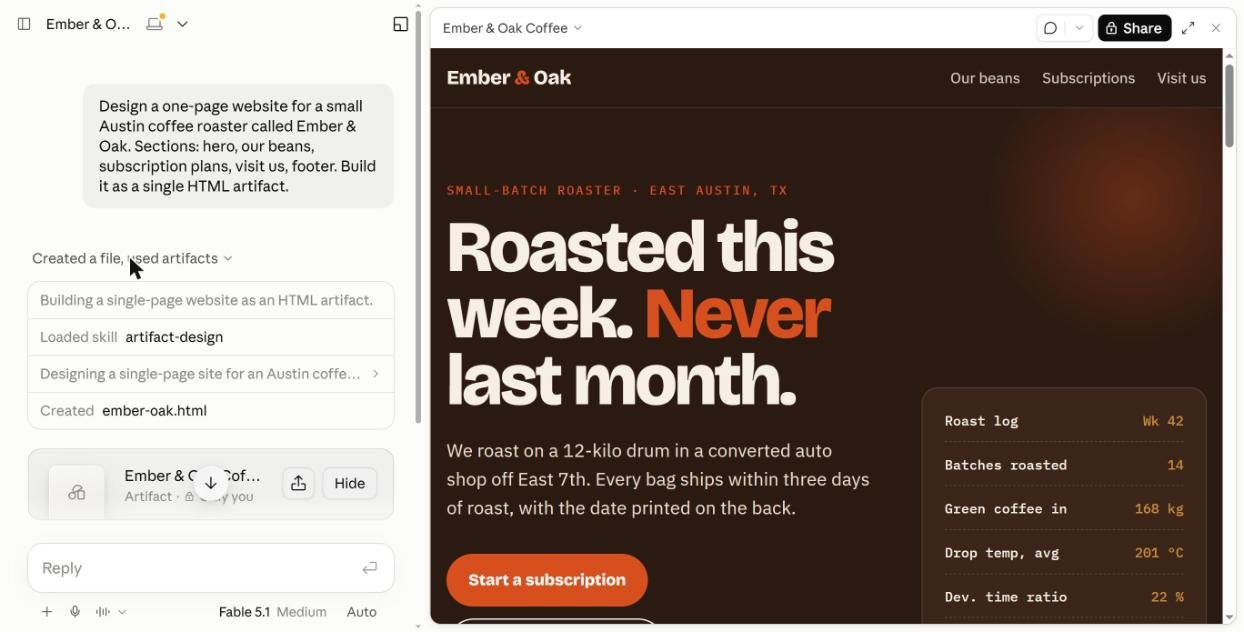
The result looked good at first glance. Big bold headline, dark roastery colors, a “roast log” card. But look closer and you see the habits every AI site shares: a small all-caps label above the headline, one word painted orange, monospace data labels, and a box of stats nobody asked for.
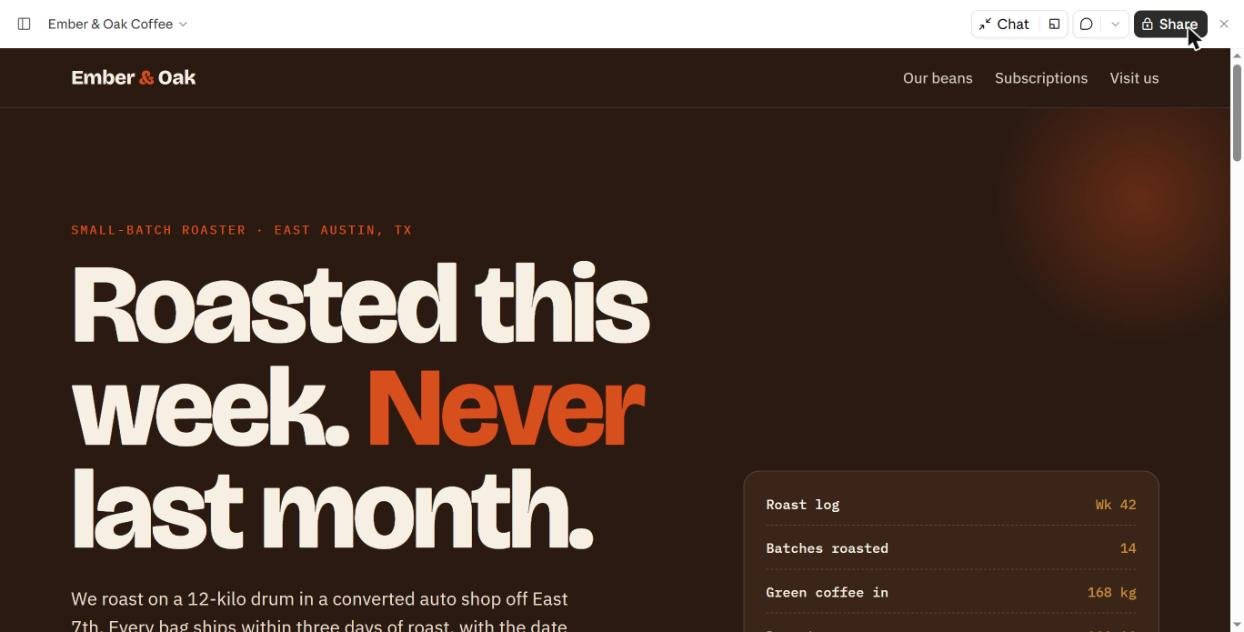
It also made things up. “We roast on a 12-kilo drum in a converted auto shop off East 7th” sounds great, but no one told Claude that. On a real client site, that is a fake fact going live.
Test B: frontend-design installed, but not called
I added frontend-design from Claude’s skill directory and sent the same prompt in a new chat. Claude loaded artifact-design again and ignored the new skill.
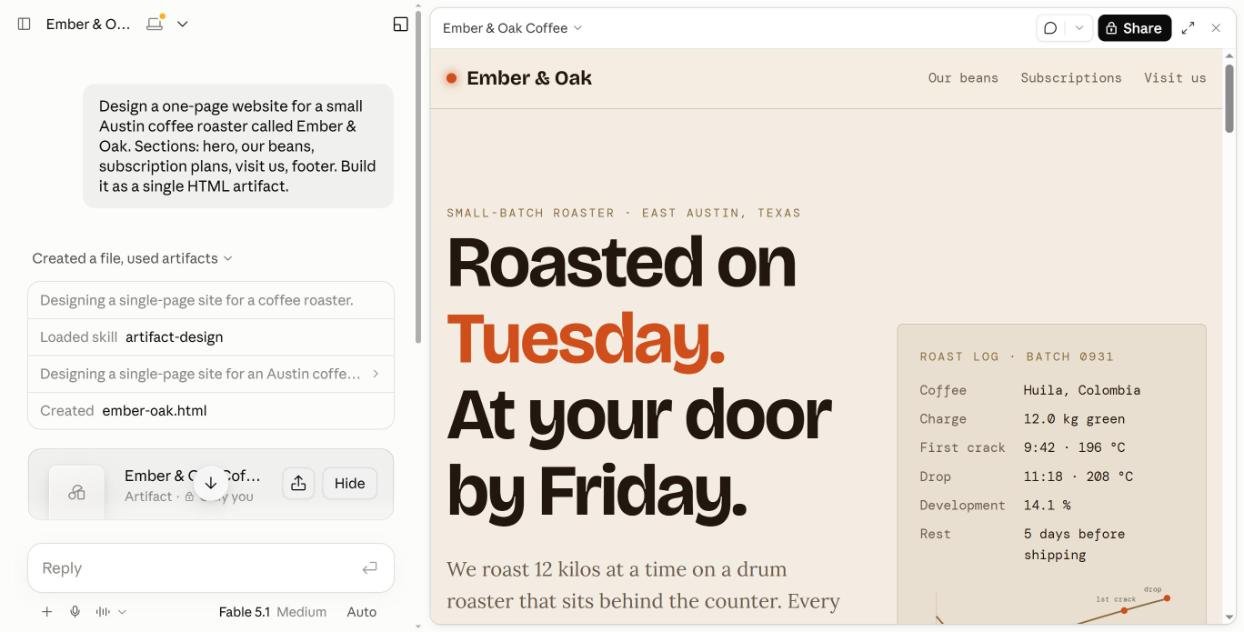
The page came out light this time, but with the same tells: cream background, one orange word (“Tuesday.”), tracked-out label, monospace roast log. That is the main lesson of this whole test. Installing a skill does not mean Claude will use it. It picks skills by matching your request to each skill’s short description, and here the built-in one won.
Test C: calling /frontend-design on purpose
Typing / in the chat box opens a list of your skills. I picked frontend-design and pasted the same prompt after it.
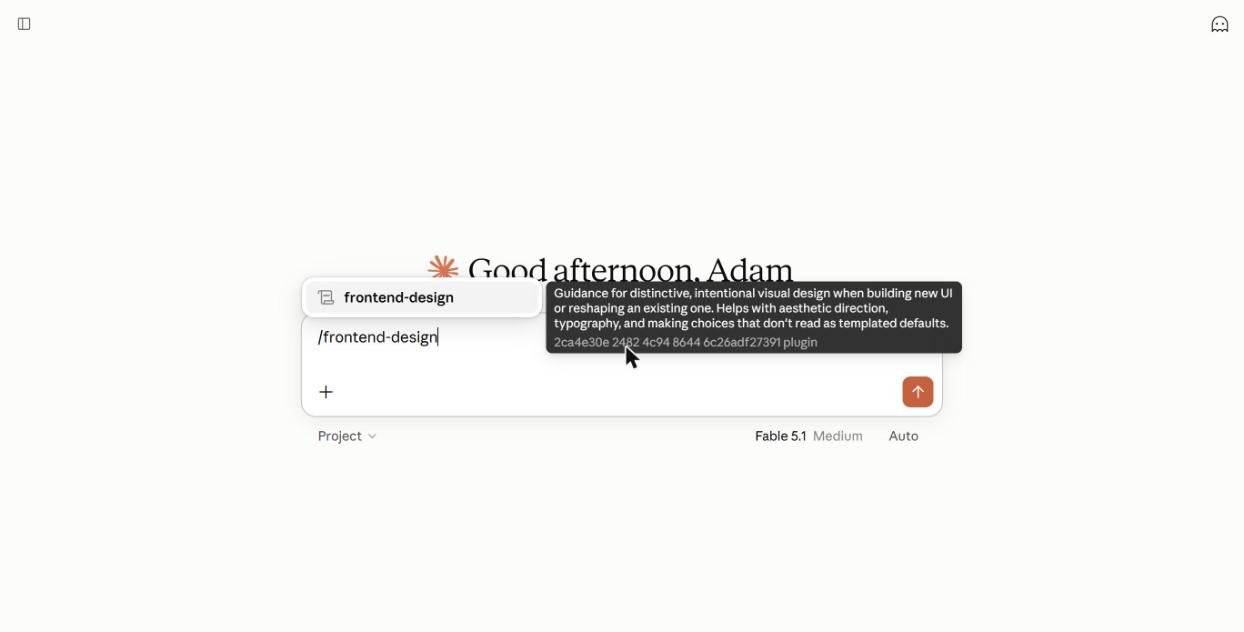
This time the tool details showed frontend-design loaded first, then artifact-design. Claude also showed a step called “Choosing a palette, type pairing, and layout direction” before it wrote any code. It took about a minute longer than Test A, roughly three minutes in total.
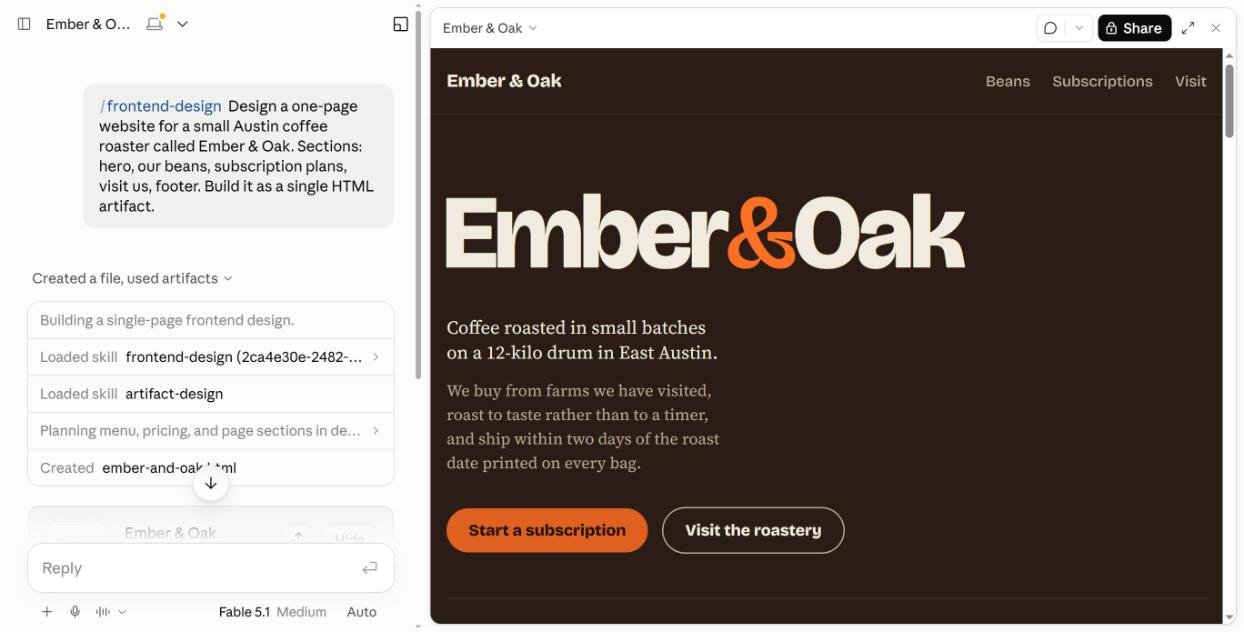
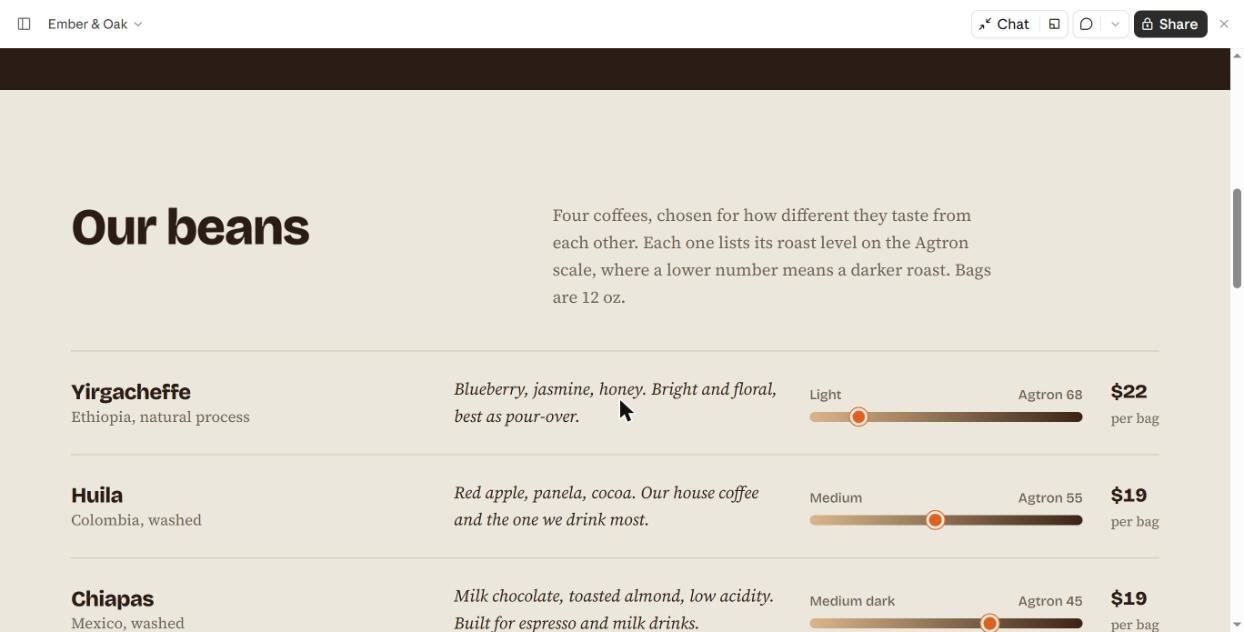
The difference was easy to see:
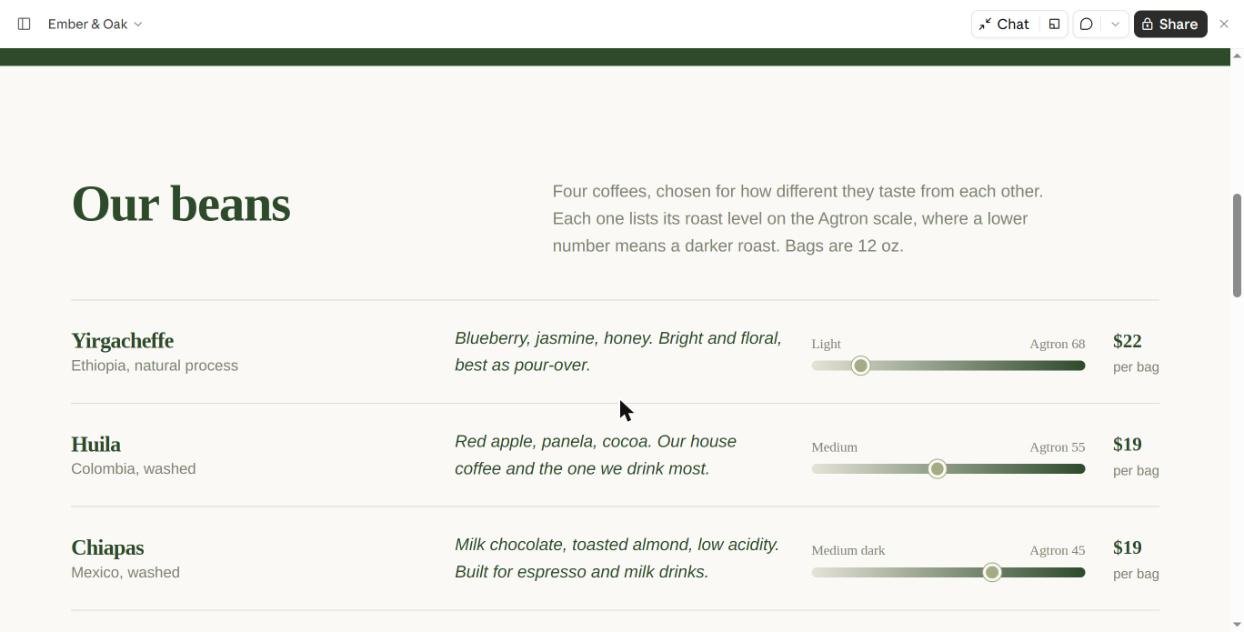
- The hero became the brand name itself, huge, with only the ampersand in orange. No label above it, no stats box.
- Body text switched to a serif with calm line lengths. It reads like a real roaster’s site, not a SaaS template.
- The beans section used a clean list with a roast scale and a plain-English note on what the numbers mean.
- Subscription plans became an interactive picker. Choose a plan and a “Your plan” summary updates live.
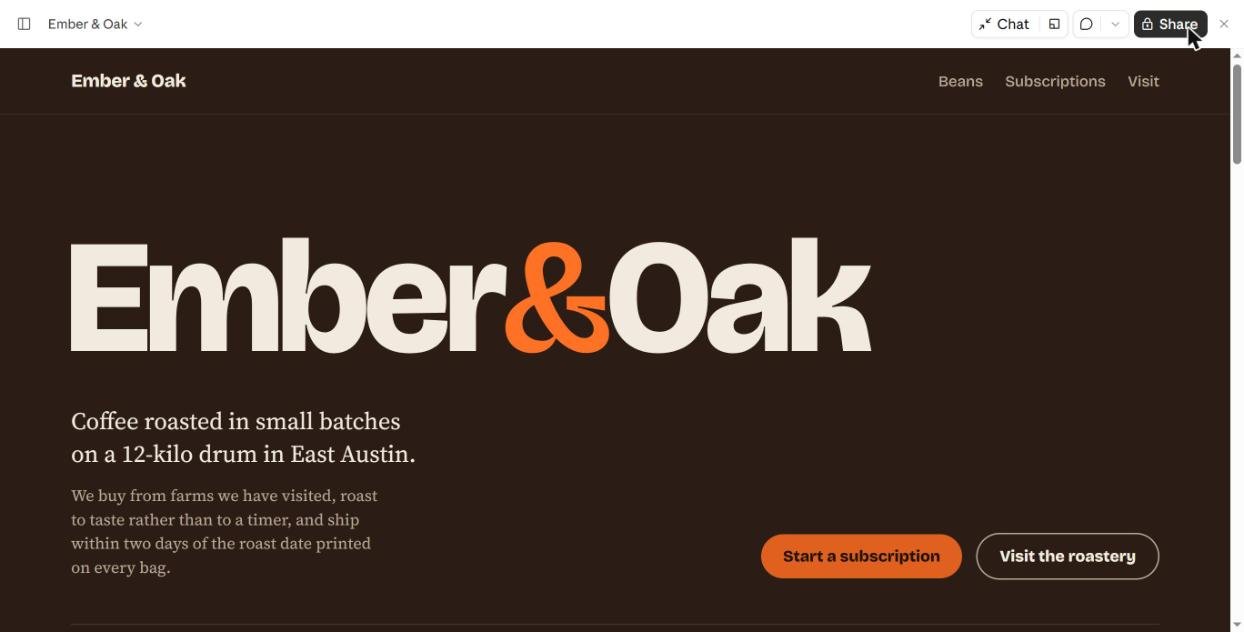
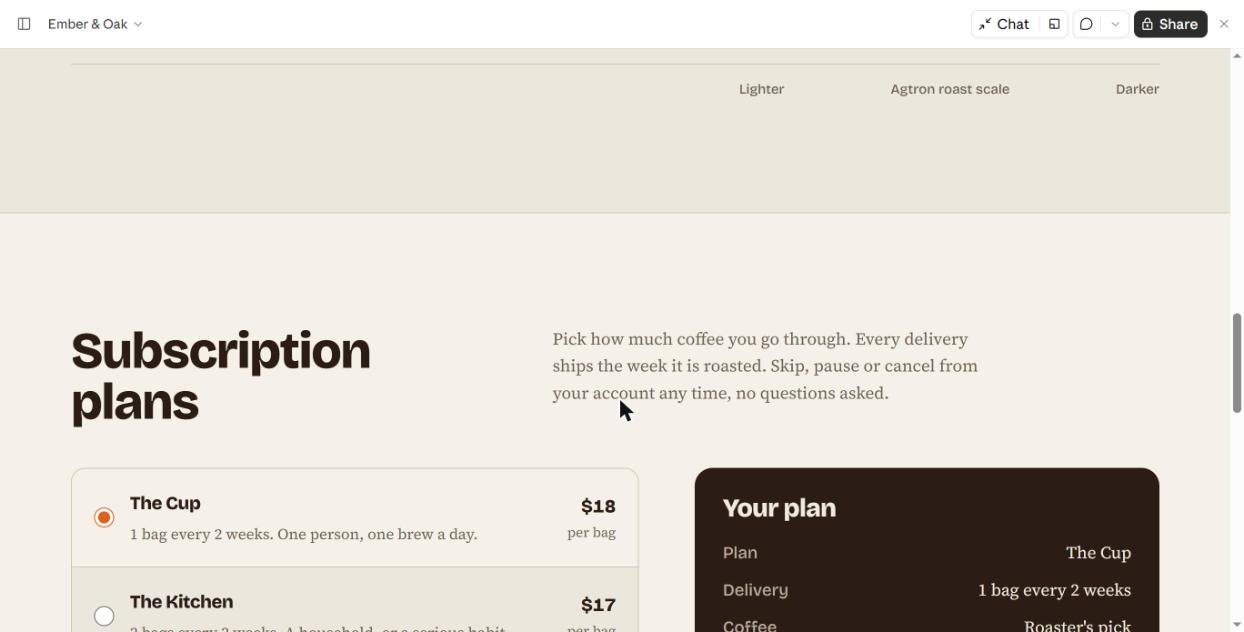
Why does this happen? Anthropic explains it in its post on the frontend design skill: safe, generic choices dominate the web, so a model drifts toward them unless you steer it. The skill is that steering. It even lists the exact tells to avoid, such as highlighting a single headline word, all-caps eyebrow labels and monospace data labels. Test A and B had all three. Test C had none.
One thing the skill did not fix: Claude still invented details like the 12-kilo drum and roast scores. A skill shapes the design, not the truth of your copy.
The best Claude skills for web design
1. frontend-design (Anthropic): best overall
What it does: Makes Claude plan a look before it codes. It asks for a short design plan (4 to 6 colors, font roles, a rough wireframe), checks that plan for generic defaults, then builds. It also sets a quality floor: responsive layout, visible focus states, readable contrast and reduced-motion support.
In my test: the clearest upgrade of anything I tried. The page stopped looking like every other AI site.
Where to get it: In the Claude app, search “frontend-design” under Customize > Skills and click Add. It is listed as “by Anthropic” and “Only adds instructions for Claude,” so it does not touch your files or accounts. In Claude Code it is in Anthropic’s official plugin directory. The source is in the anthropics/skills repo on GitHub.
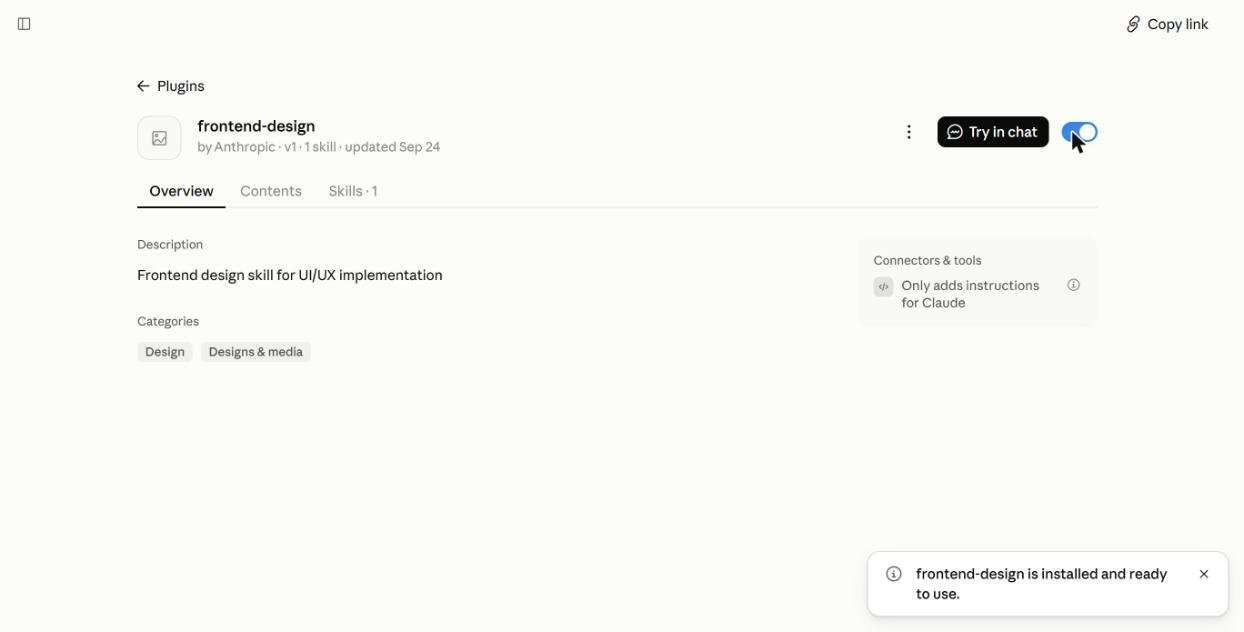
Tip: start your prompt with /frontend-design. Do not count on Claude picking it on its own.
2. theme-factory (Anthropic): best for applying brand colors
What it does: Applies one consistent color palette and font pair to any artifact: a website, slides, a doc or a report. It ships with 10 preset themes (Ocean Depths, Sunset Boulevard, Forest Canopy, Modern Minimalist, Golden Hour, Arctic Frost, Desert Rose, Tech Innovation, Botanical Garden and Midnight Galaxy) and can create a custom one.
In my test: I asked it to show the options and restyle the Test C site in Forest Canopy, keeping layout and copy. First it produced a PDF showing every theme’s colors and fonts.
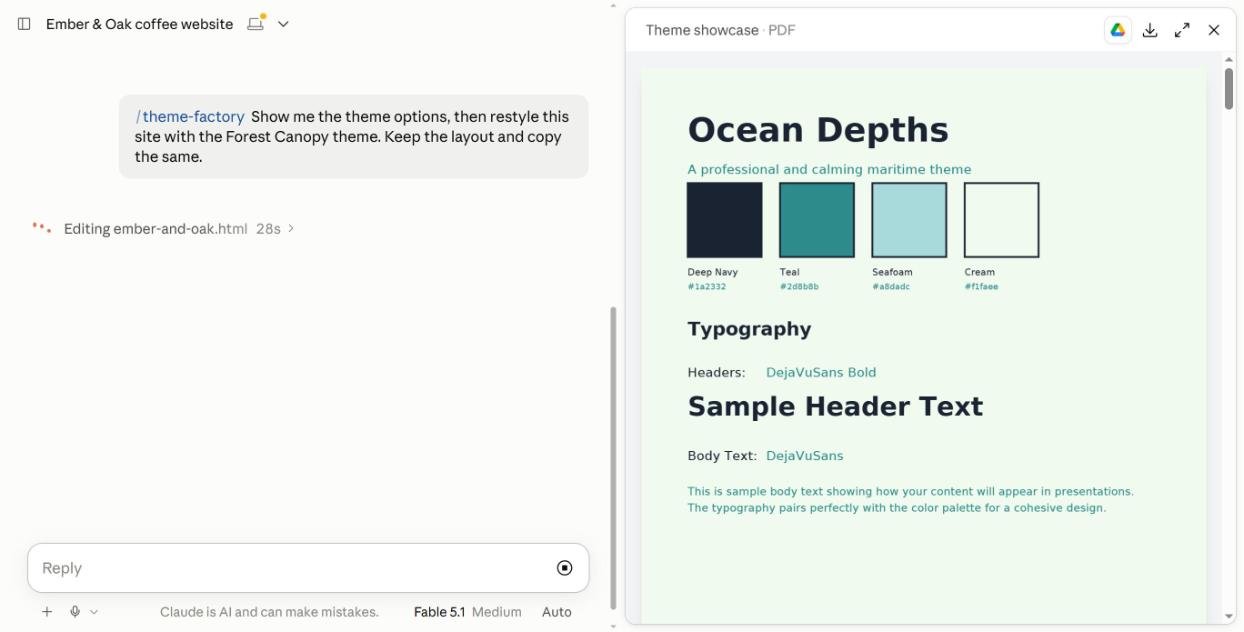
About a minute later the whole site was green and ivory, and the layout and copy were unchanged, as asked.
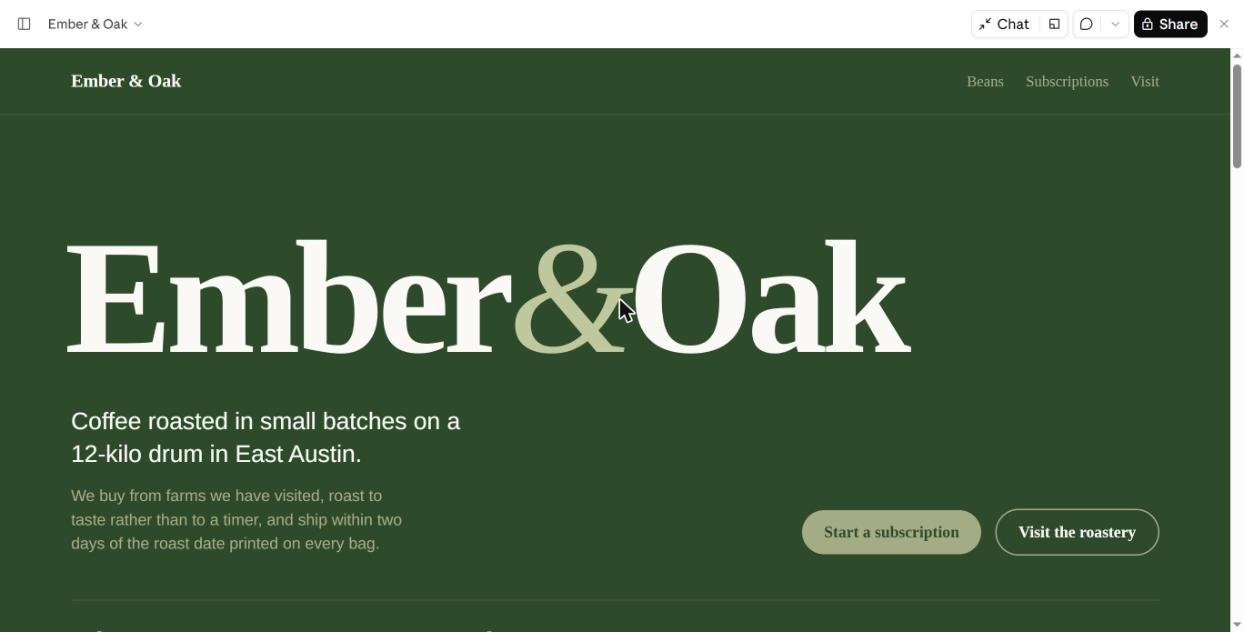
The trade-off: the theme’s fonts are plain system fonts, so the custom typography from Test C was lost. Use theme-factory when consistency across many pages or files matters more than a unique look. Use frontend-design when the look matters most.
3. web-artifacts-builder (Anthropic): best for bigger sites
What it does: Builds more complex artifacts with React 18, TypeScript, Tailwind CSS and 40+ shadcn/ui components, then bundles everything into one HTML file you can share.
When to use it: multi-section sites with tabs, routing, forms or saved state. Anthropic’s own notes say it is more than you need for a simple one-page HTML site, so for a landing page stick with frontend-design.
4. impeccable (Paul Bakaus): best design toolkit for Claude Code
What it does: Adds one design skill plus 24 commands you run as /impeccable followed by a verb, such as critique, audit, polish, typeset, layout, colorize, animate and harden. It also includes 59 detector rules that flag common AI design mistakes.
Where it works: Claude Code and many other coding agents (Cursor, Codex CLI, Gemini CLI and more). Its README does not list the Claude chat app, so I did not test it there. With 81,000+ GitHub stars, it is the most popular community design skill I found.
Install: run npx impeccable install in your project folder, then /impeccable init in Claude Code. Source: pbakaus/impeccable.
5. webapp-testing (Anthropic): best for checking your work
What it does: Lets Claude open your site in a headless browser with Playwright, take screenshots, read console errors and click through flows. Pair it with frontend-design in Claude Code and Claude can look at the page it just built and fix what is off on mobile or desktop.
Note: it runs Python scripts and local servers, so it belongs in Claude Code, not the chat app.
6. canvas-design and brand-guidelines (Anthropic): for visuals and brand rules
canvas-design creates original visual art as PNG or PDF files, handy for a hero image, a poster or a social share card. brand-guidelines is Anthropic’s example of packing brand colors and type into a skill. Copy its structure to make a skill with your own (or your client’s) brand rules, so every page Claude builds starts on brand.
How to get a Claude skill: make your own or install one
1. Make your own with /skill-creator (fastest)
You don’t need to write a SKILL.md file by hand. Claude ships with skill-creator. Type /skill-creator in any chat, describe the skill in plain English, and Claude writes it for you.
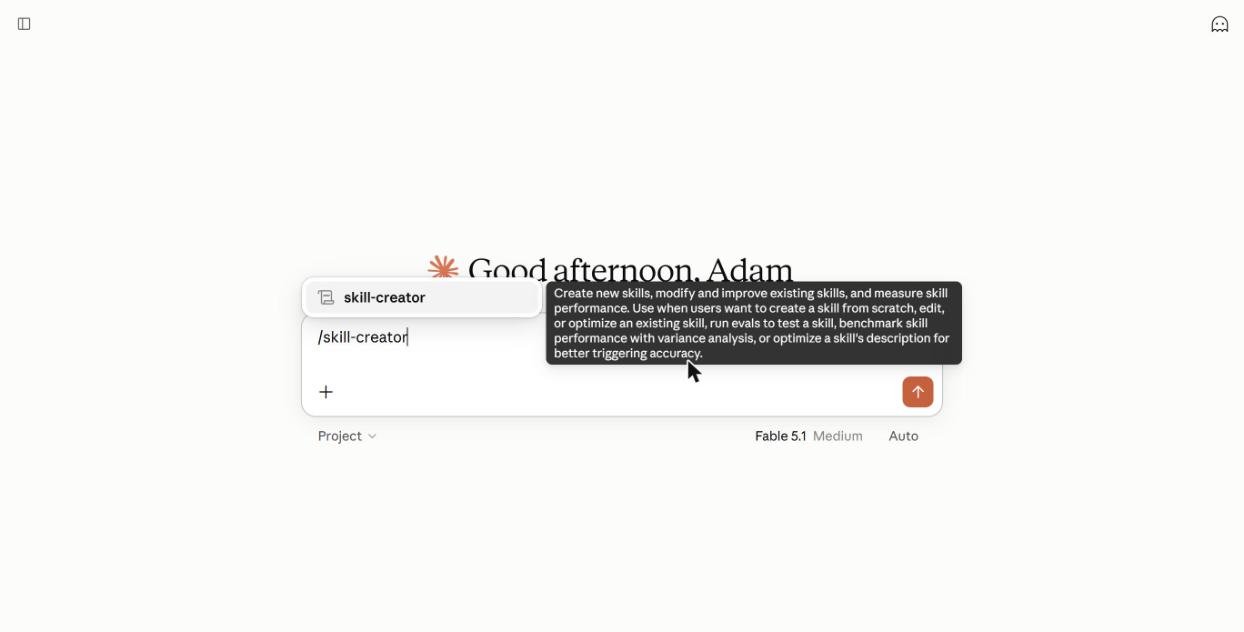
In my test I typed:
“/skill-creator Make me a skill called ember-oak-brand for web design. Whenever I ask for a page for Ember & Oak, use: walnut #2B1D16 background, cream #F2EAD8 text, ember orange #E8622C accent, a bold grotesk for headings and a serif for body, no stock-photo hero, no fake stats, and real business facts only (ask me if missing).”
About three minutes later Claude showed a finished SKILL.md: a palette table, type rules, layout rules and a description written so the skill triggers whenever I mention the brand. One click on Save skill added it to my account.
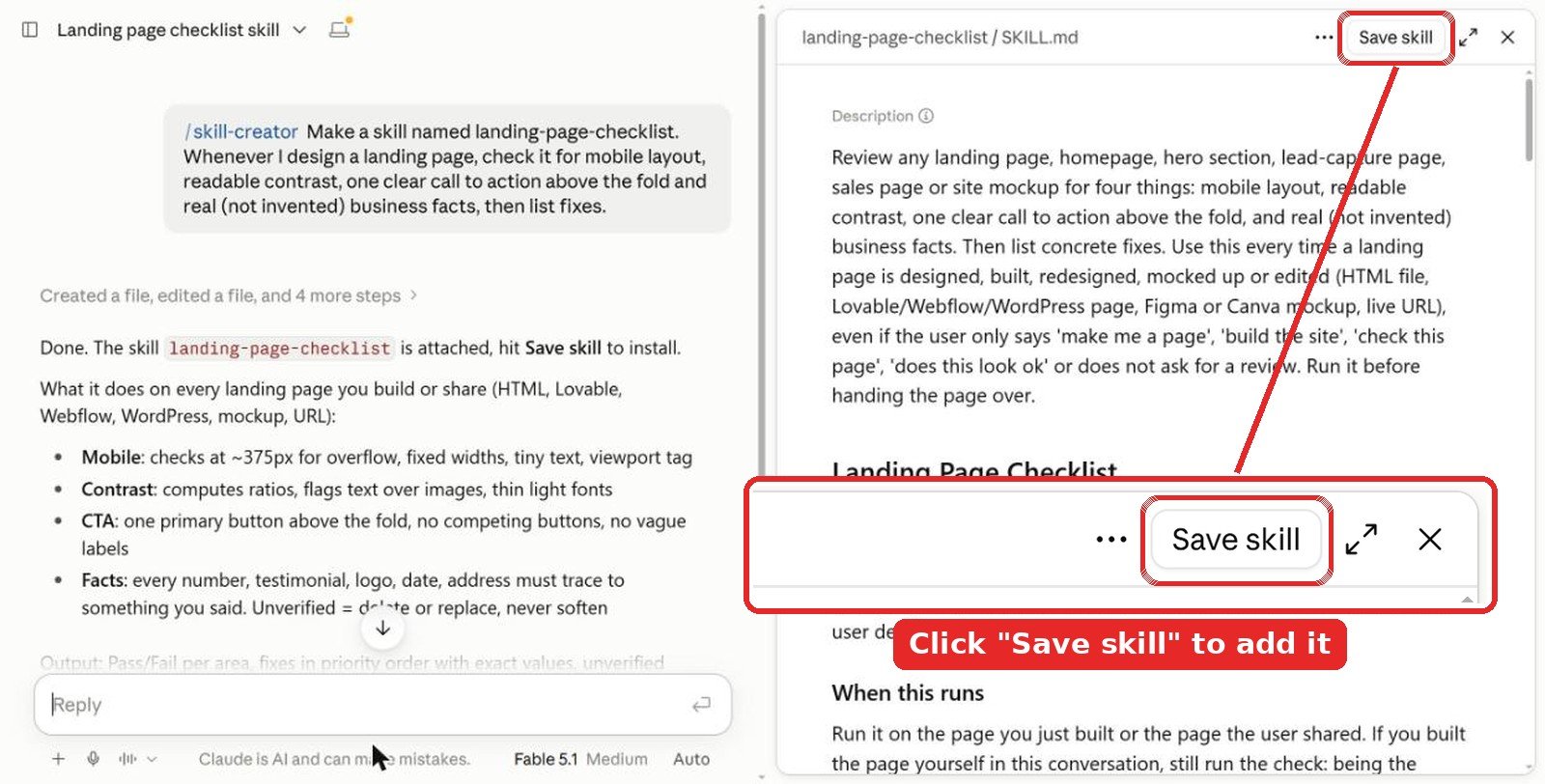
Don’t skip the save step. The skill is only a draft in that chat until you click Save skill at the top right of the SKILL.md preview. Close the chat without saving and it’s gone.
Name it from the start. Put the name in your first message, like “Make a skill named landing-page-checklist…”, and skill-creator uses it as the skill name. If you forget, it picks one for you. Don’t like it? Ask “rename it to …” in the same chat before you save, or change it later in Customize > Skills with the Edit button.
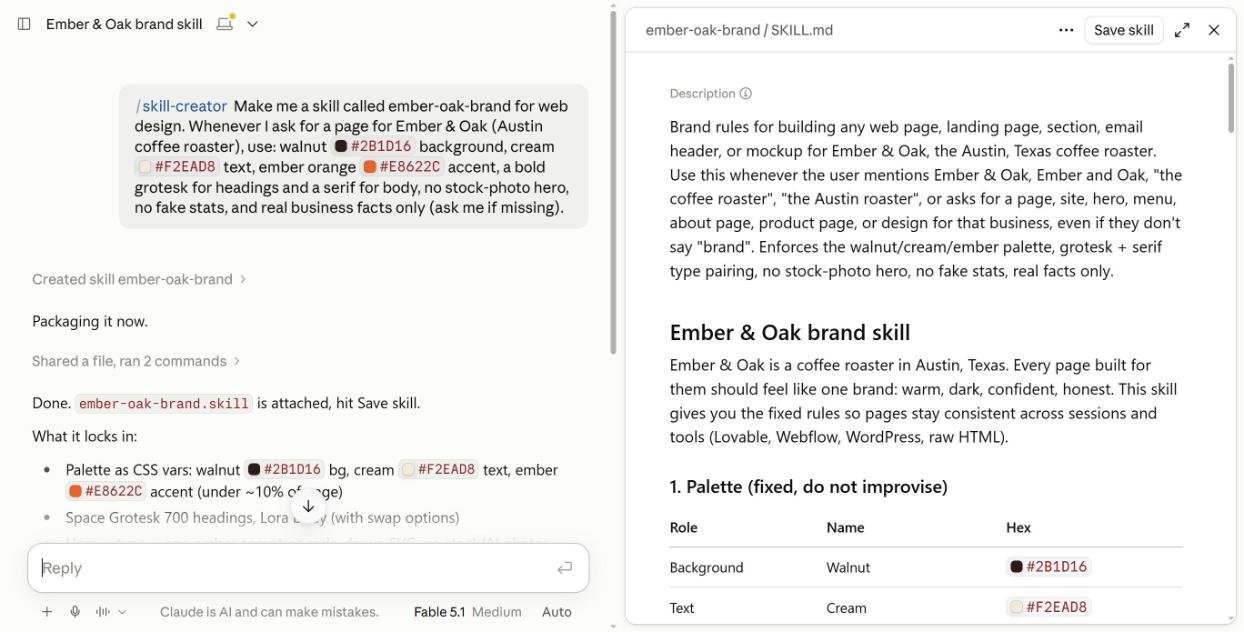
Then I opened a new chat and asked only: “Build the hero section for the Ember & Oak homepage.” No slash command this time. Claude loaded ember-oak-brand on its own, used the walnut and ember colors, drew an SVG logo instead of a stock photo, and listed what it left out on purpose (no numbers, no address) until I give real facts.
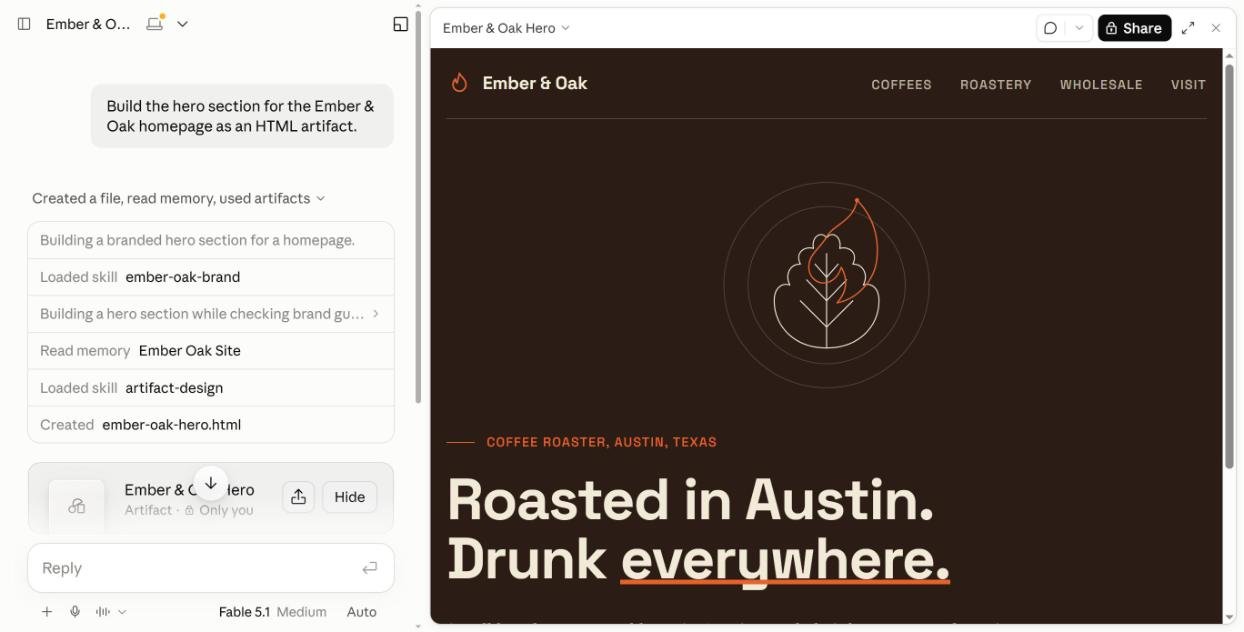
That fixes the biggest problem from Test B: a skill you build this way gets a description that names your brand, so Claude actually picks it. Tip: make one brand skill per client or site. Put in exact hex colors, font names, banned layouts and where to find real facts. Pair it with frontend-design for layout quality.
2. Install in the Claude app (web or desktop)
- Go to Settings > Capabilities and turn on Code execution and file creation. Skills need it.
- Open Customize > Skills and use the Discover tab or search box.
- Click Add on the skill you want. A toggle lets you switch it off later.
- For a skill from GitHub, click + Add > Upload skill and drop in a .zip that contains a SKILL.md file. Claude runs a security scan when you upload.
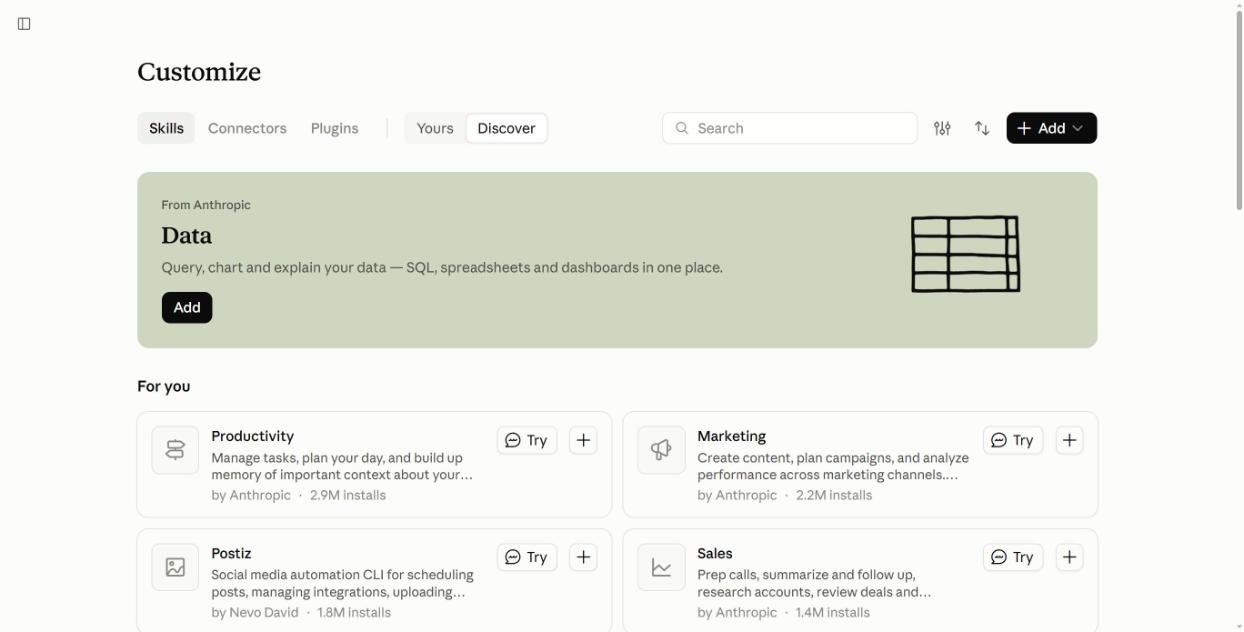
Skills work on Free, Pro, Max, Team and Enterprise plans, according to Claude’s help center. On Team and Enterprise an owner has to allow skills first.
Watch for one warning. Some entries in the directory are plugins that connect to other services. When I tried to add one, Claude warned that installing “will grant access to everything on your computer.” Instruction-only skills like frontend-design and theme-factory installed with one click and no warning. Only add plugins from sources you trust.
3. Install in Claude Code
Add Anthropic’s skill collection as a plugin marketplace, then install:
/plugin marketplace add anthropics/skills
/plugin install example-skills@anthropic-agent-skills
You can also drop any skill folder into ~/.claude/skills/ (all projects) or .claude/skills/ (one project).
Tips to get better web designs from Claude
- Call the skill by name. Start with
/frontend-design. My test showed Claude may not choose it alone. - Give real facts. Hours, address, prices, story. If you don’t, Claude fills the gaps with believable fiction.
- Name a feeling, not a font. “Warm, local, a bit old-school” gives the skill room to choose well.
- Stack skills in order. Design with frontend-design, then restyle with theme-factory, then check with webapp-testing in Claude Code.
- Check mobile. Narrow the artifact panel or open the page on your phone. Both test sites held up, but always look.
Video: design skills in Claude Code
FAQ
What is the best Claude skill for web design?
frontend-design by Anthropic. In our side-by-side test it removed the generic AI look and added a working plan picker. Call it with /frontend-design so Claude actually uses it.
Are Claude design skills free?
Yes. frontend-design, theme-factory, web-artifacts-builder, webapp-testing and canvas-design are free from Anthropic, and impeccable is free and open source under Apache 2.0.
Why didn’t Claude use the skill I installed?
Claude picks skills by matching your request to each skill’s description. In our test it chose its built-in artifact-design skill instead. Type / and the skill name to force it.
Can I use Claude skills on the free plan?
Yes. Claude’s help center lists skills on Free, Pro, Max, Team and Enterprise plans. You need Code execution and file creation turned on in Settings > Capabilities.
Do design skills work in Claude Code?
Yes. Add anthropics/skills as a plugin marketplace, or copy skill folders into ~/.claude/skills/. impeccable and webapp-testing are built mainly for Claude Code.
The verdict
If you add one skill for web design, make it frontend-design, and always call it with /frontend-design. It was the only change in my test that made the site look designed instead of generated. Add theme-factory when you need the same colors and fonts across many pages, and move to impeccable plus webapp-testing once you build in Claude Code. Whatever you use, replace every invented fact with real ones before the page goes live.
More Claude guides: all Claude articles and our website creation guides.
Tested in the Claude web app in October 2026. Skill listings, names and install steps were checked the same month.