
TL;DR
- Lumo AI is Proton’s private AI chat assistant. Saved chats use zero-access encryption, so Proton can’t read them.
- It doesn’t keep logs and doesn’t train on your chats.
- You can use it free, even without an account. Lumo Plus costs $9.99/month on a yearly plan or $12.99 month to month.
- It’s good for writing, summaries and everyday questions. It still trails the top ChatGPT and Claude models on hard tasks.
- Verdict: worth it if privacy comes first. If you want the strongest model at any cost, look elsewhere.
I tested Lumo AI in the browser and checked Proton’s own privacy and pricing pages. This review sticks to what it does, what it costs, and who should use it.
| Made by | Proton AG (Switzerland) |
| Launched | July 2025. Lumo 2.0 arrived June 30, 2026 |
| Models | Lumo 2.0 Lite, Lumo 2.0 Max, Apertus 1.5 |
| Price | Free, or Plus at $9.99/mo (yearly) |
| Best for | Private writing, research and sensitive questions |
What Is Lumo AI?
Lumo AI is an AI chat assistant from Proton, the Swiss company behind Proton Mail and Proton VPN. It works like ChatGPT: you ask, it answers. The difference is what happens to your data.
Proton built it around privacy. It doesn’t log your questions or train on them, and it stores your chat history so only you can read it. Proton says more than 10 million people have used Lumo since launch (9to5Mac).
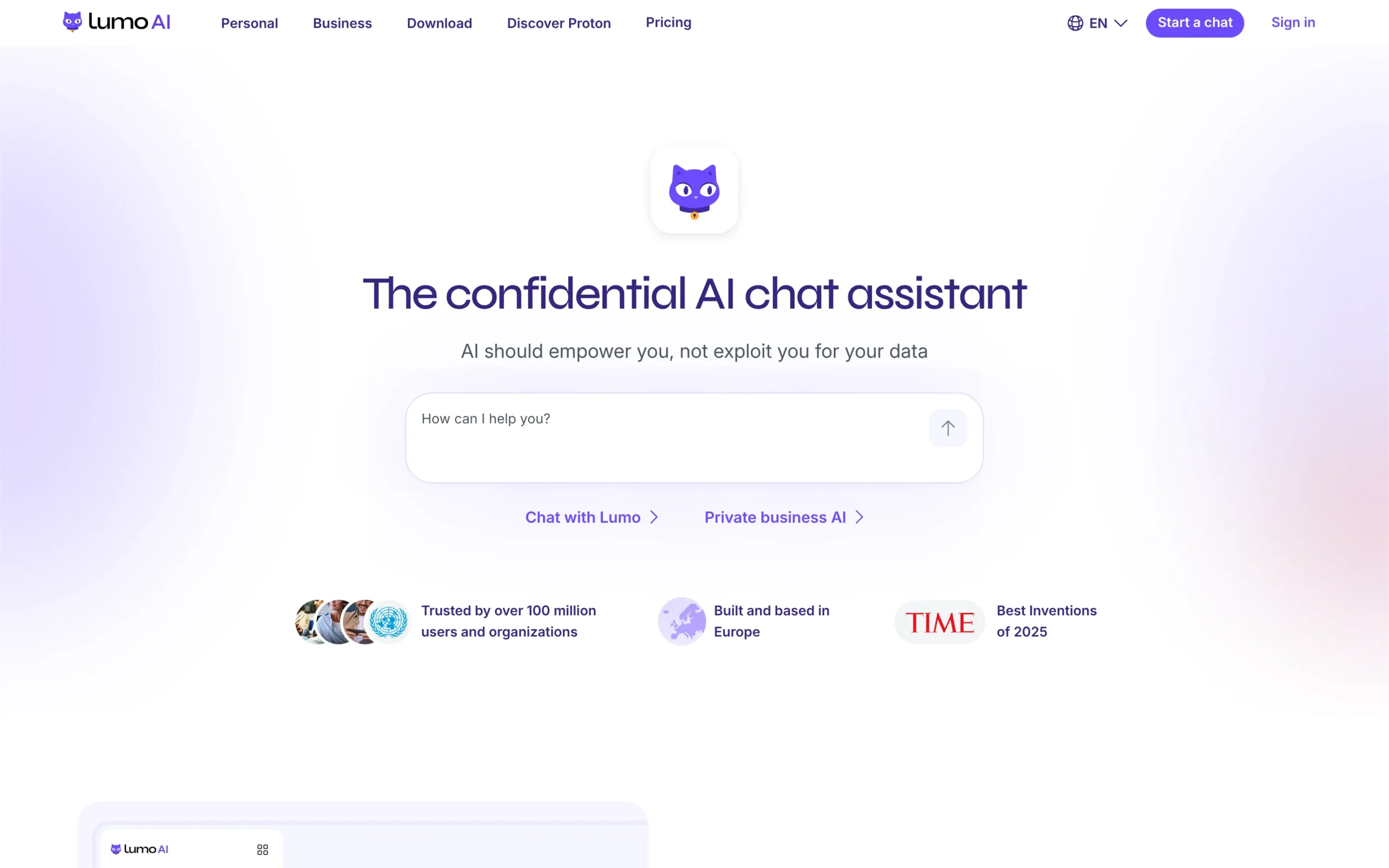
You can open it at proton.me/lumo, in the iPhone and Android apps, or in a desktop browser. A Proton account is optional.
How I Tested Lumo AI
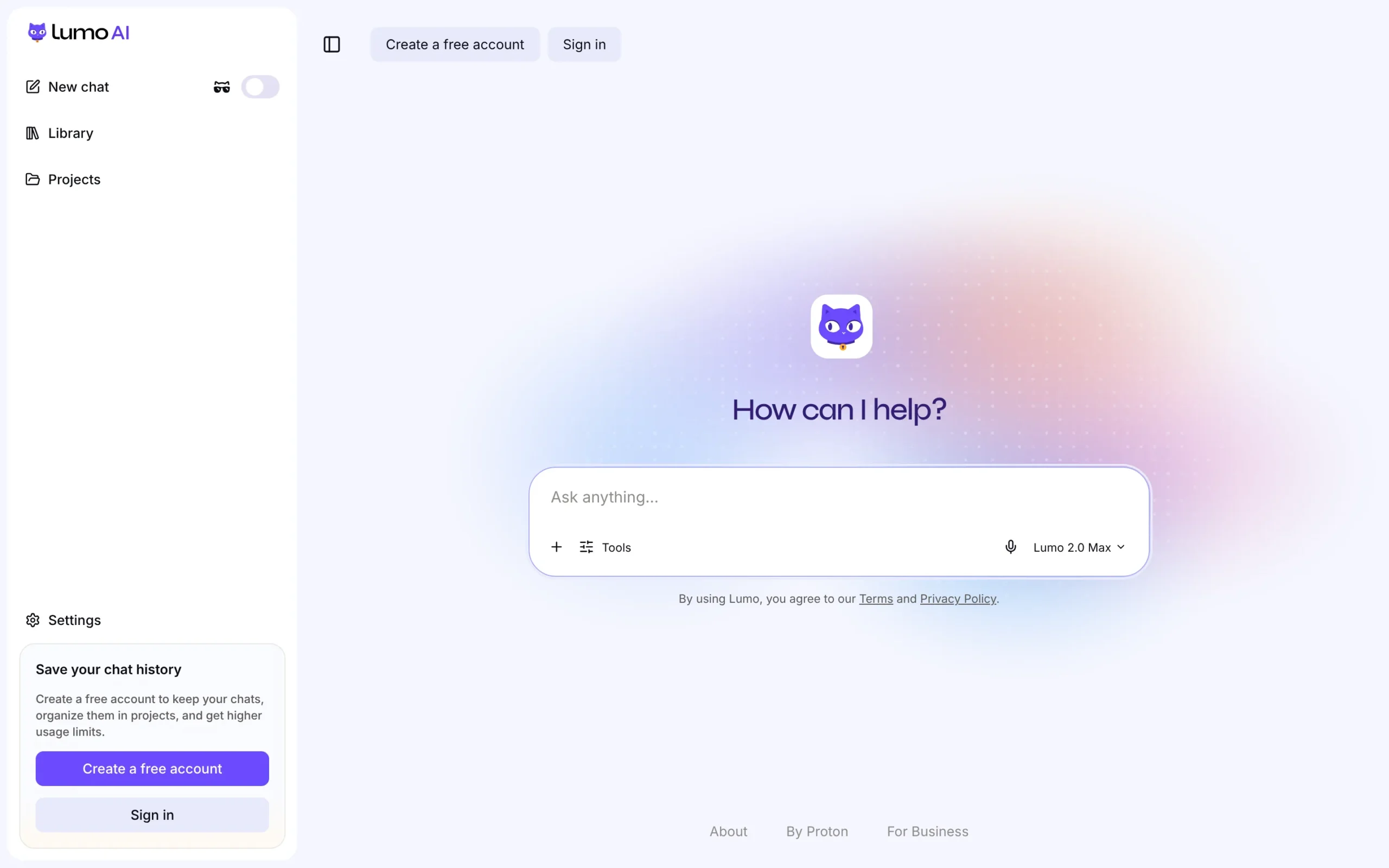
I opened Lumo as a guest with no account and no sign-up. The chat screen loaded straight away, with Lumo 2.0 Max picked as the default model.
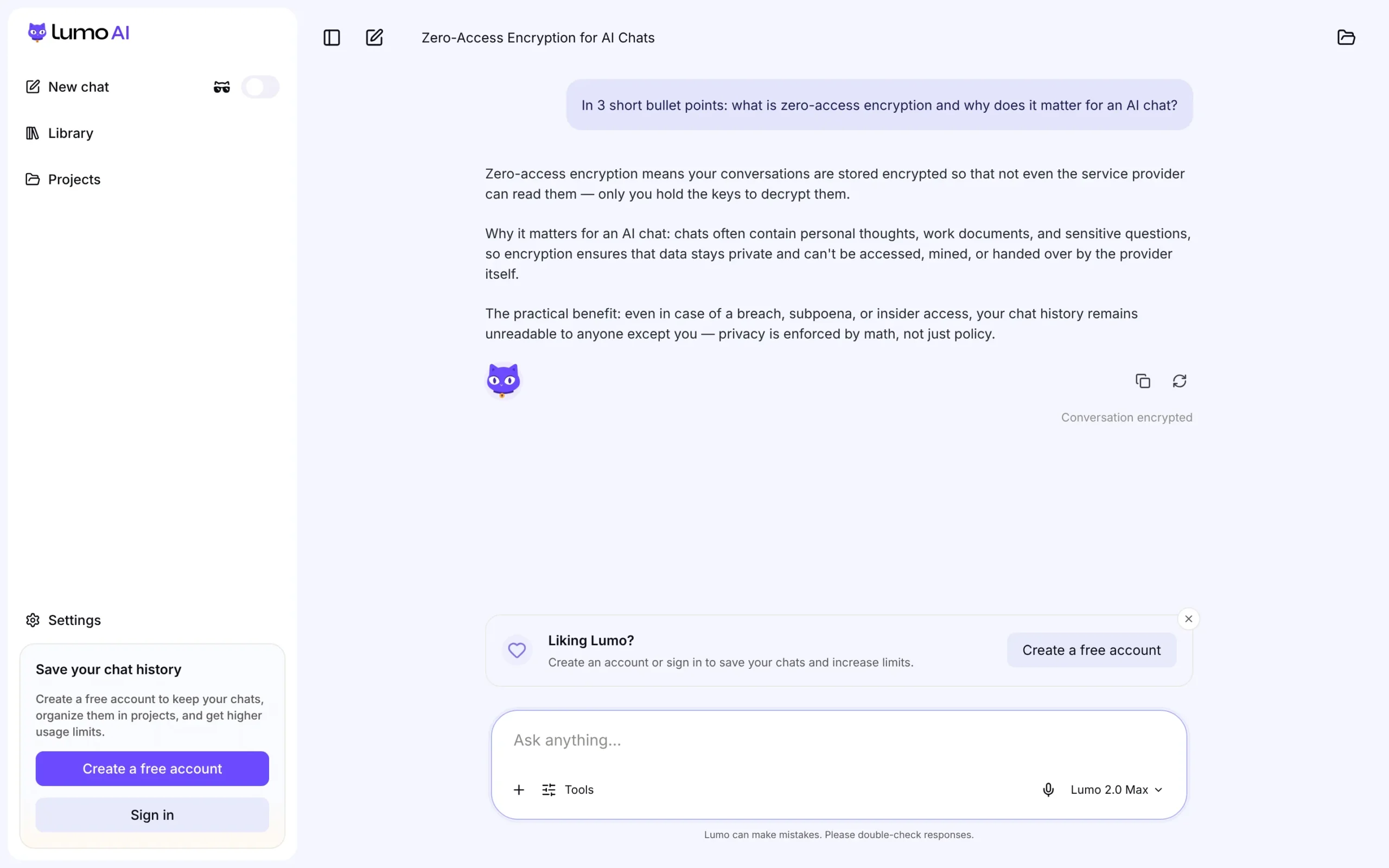
I asked it to explain zero-access encryption in three short bullets. The answer was clear and correct, and it stayed on topic. Under the reply, Lumo shows a small “Conversation encrypted” label.
For daily tasks like drafting, summing up a page or explaining a concept, it feels close to the big assistants. It gets weaker on long, multi-step reasoning, and Lumo itself warns that it “can make mistakes”.
Lumo AI Models: Lite, Max and Apertus
Lumo runs on open-source models that Proton hosts on its own servers. Proton’s Lumo privacy page lists Qwen 3.5 and GLM 5.3 for text, Image-Turbo and FireRed-Image-Edit-1.1 for images, and Apertus 1.5.
In the app, you choose from three options:
- Lumo 2.0 Lite: fast model for everyday tasks.
- Lumo 2.0 Max: the strongest model, for complex work.
- Apertus 1.5: a fully open, Swiss-made model for lighter tasks.
You can also switch between Fast mode and Thinking mode. Thinking mode takes longer but works through problems step by step.
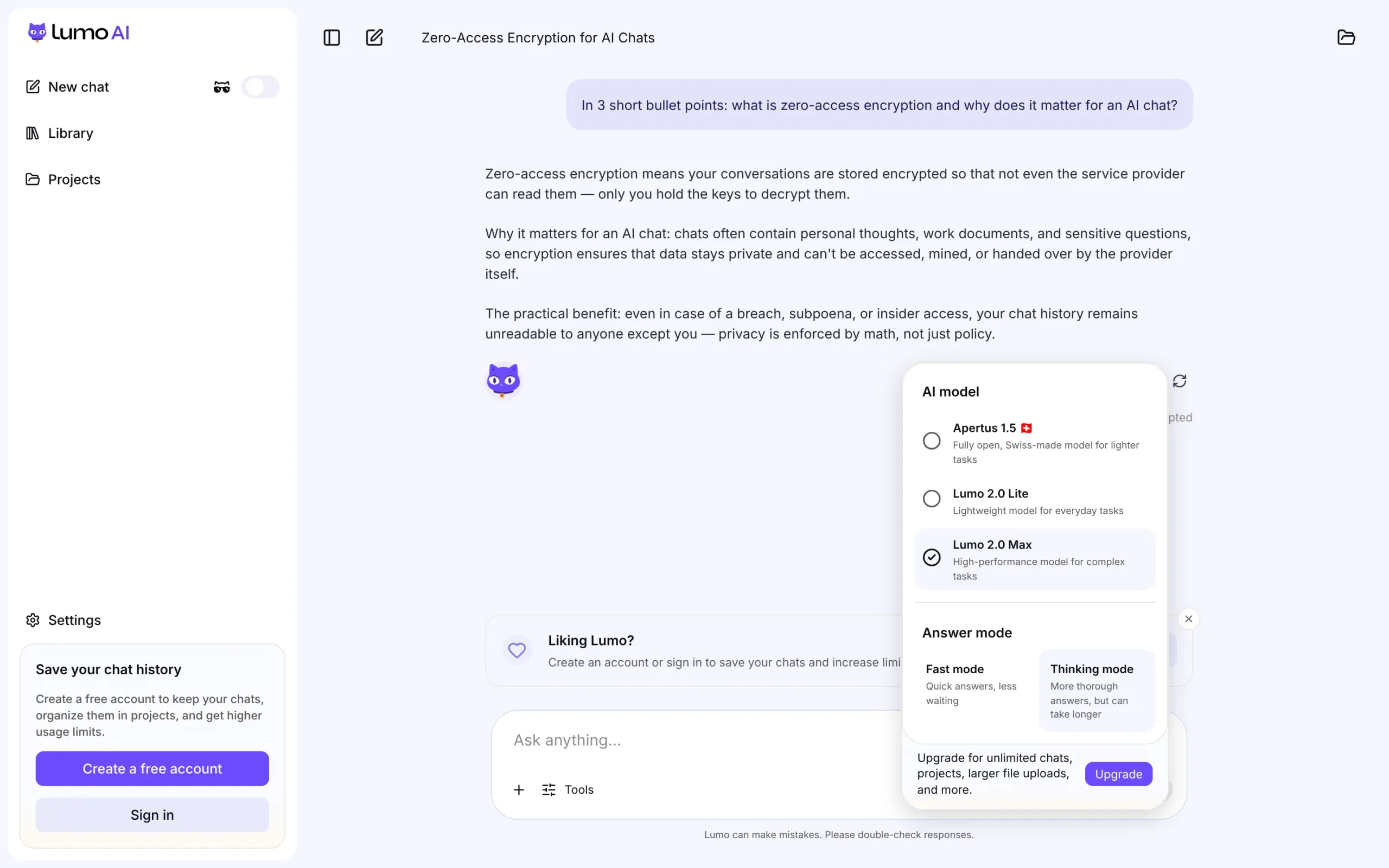
Proton says Lumo 2.0 Max scores 240% higher than the older Lumo 1.4 on the Artificial Analysis Intelligence Index (9to5Mac). That’s a big jump. It still isn’t a frontier model like the newest GPT or Claude releases.
Lumo AI Features
Lumo 2.0 covers most of what you’d expect from a modern AI assistant:
- Web search: off by default, and you turn it on when you need fresh info.
- File uploads: analyze PDFs, docs and CSVs, or attach files from Proton Drive.
- Image generation and editing: new in Lumo 2.0.
- Projects and memory: group chats by topic and let Lumo remember context.
- Custom Lumos: build assistants with your own instructions.
- Ghost mode: chats that aren’t saved at all.
- Dictation and chat export.
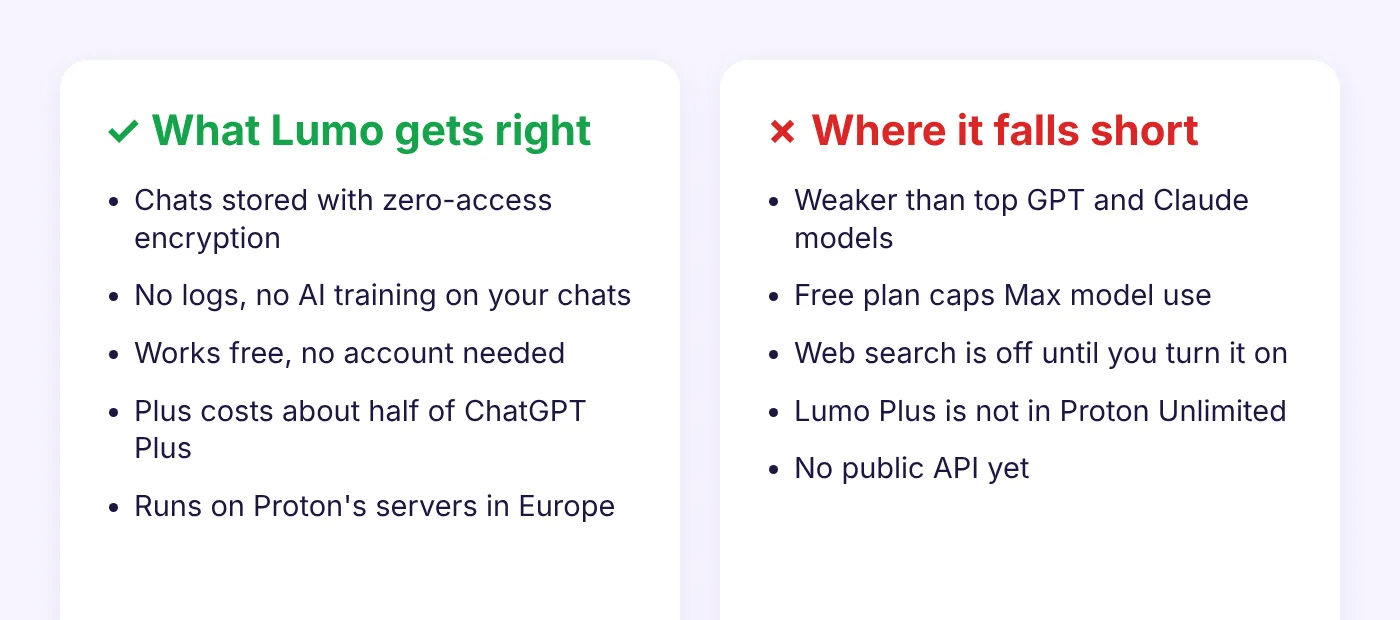
What’s missing: there is no public API yet. TechRadar reports one is in development (TechRadar). There’s also nothing like ChatGPT’s agent mode or Claude Code.
Is Lumo AI Private?
Yes, Lumo is one of the most private AI chat tools you can use. Proton doesn’t log your chats, doesn’t train on them, and stores your history with zero-access encryption. It also doesn’t store metadata like timestamps or IP addresses.
Here’s how it works, per Proton’s support page:
- Your prompt travels over TLS and is encrypted so only Lumo’s GPU servers can decrypt it.
- After Lumo answers, that data is erased.
- Saved chats live on your device and sync to Proton with zero-access encryption.
- Guest chats are wiped when the session ends.
- The models run only on servers Proton controls, under European law.
One honest caveat: Lumo is not fully end-to-end encrypted. The model has to read your prompt to answer it, so it is decrypted on Proton’s servers while it’s processed. You’re trusting Proton’s no-logs promise for that moment. For most people that’s still far better than a chatbot that keeps and reviews your chats.
The only exception to “no training” is opt-in: if you choose to rate an Apertus 1.5 answer, that feedback is anonymized and shared with the research team behind the model.
Lumo AI Pricing
Lumo is free to use. Lumo AI Plus costs $12.99 a month, or $9.99 a month on a yearly plan ($119.88 billed every 12 months). Plus comes with a 30-day money-back guarantee. Prices checked on Proton’s pricing page.
| Free | Lumo AI Plus | |
|---|---|---|
| Price | $0 | $9.99/mo yearly, $12.99 monthly |
| Max model use | Limited | More |
| Messages and history | Limited | More |
| Image generations | Limited | More |
| Projects | 1 | Unlimited |
| Custom Lumos | Limited | Unlimited |
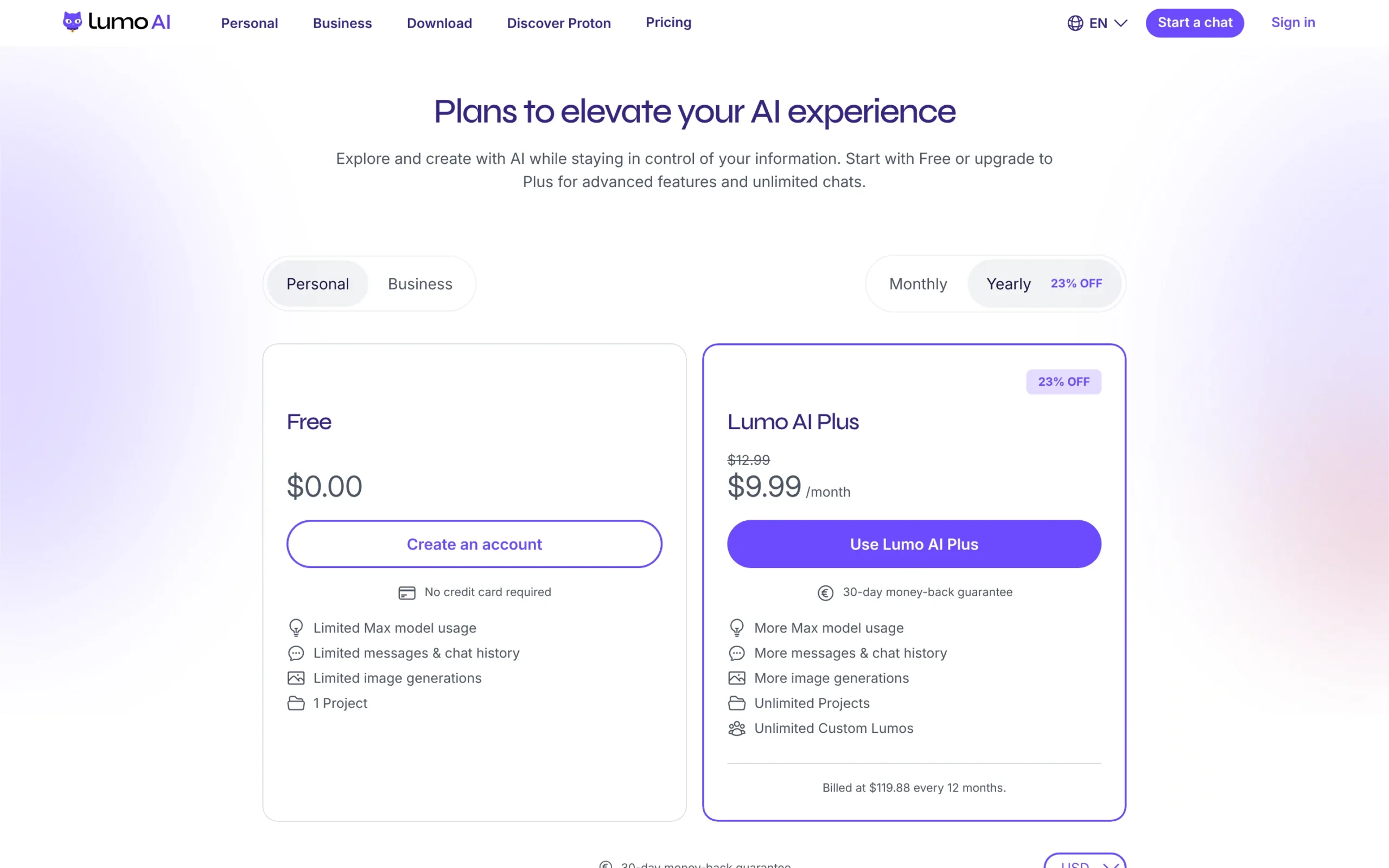
Privacy is the same on both plans. You pay for higher limits, not for better protection.
One thing to know: Proton Unlimited does not include Lumo Plus. Unlimited users get Lumo at the free-tier limits. Teams can pick Lumo Professional, which adds admin controls.
Lumo AI Pros and Cons
Lumo AI vs ChatGPT
ChatGPT is smarter and has more tools. Lumo is more private and cheaper. That’s the trade in one line.
| Lumo AI | ChatGPT | |
|---|---|---|
| Trains on your chats | No | By default, unless you opt out |
| Encrypted chat history | Yes, zero-access | No |
| Paid plan | $9.99 to $12.99/mo | $20/mo (Plus) |
| Model strength | Good | Top tier |
| Use without account | Yes | Yes |
Pick ChatGPT for hard coding, deep research and agents. Pick Lumo when you’d rather not hand a big tech company your health questions, client files or private ideas.
Is Lumo AI Good? Who Should Use It
Lumo AI is good for everyday private use. It’s a solid choice if you:
- Write or research things you’d rather keep private (legal, health, money, client work).
- Already use Proton Mail, Drive or VPN.
- Want a cheap ChatGPT alternative for daily tasks.
- Need an EU-based AI for GDPR-sensitive work.
Skip it if you need the best model for complex code, long agent tasks, or an API to build with today.
Watch: Lumo AI in Action
Want a second opinion? Techlore’s hands-on review is worth a watch too:
Lumo AI FAQ
Is Lumo AI free?
Yes. You can use Lumo free, with or without a Proton account. The free plan limits Max model use, messages, images and projects.
Who makes Lumo AI?
Proton AG, the Swiss company behind Proton Mail, Proton VPN, Proton Pass and Proton Drive.
What model does Lumo AI use?
Open-source models hosted by Proton: Qwen 3.5 and GLM 5.3 for text, Image-Turbo and FireRed-Image-Edit-1.1 for images, and the Swiss Apertus 1.5.
Does Lumo AI train on my chats?
No. The only exception is anonymized feedback you choose to give on Apertus 1.5 answers.
Is Lumo Plus included in Proton Unlimited?
No. Proton Unlimited includes Lumo at free-tier limits. Lumo Plus is a separate subscription.
Does Lumo AI have an API?
Not yet. A Lumo API is reported to be in development.
Verdict: Is Lumo AI Worth It?
Yes, if privacy matters to you. Lumo gives you a capable AI assistant without giving away your data, and the free plan lets you try it with zero risk. Start free. Upgrade to Plus only if you keep hitting the Max model limit.
Using Proton for more than AI? Read our Proton VPN review, see how it compares in Proton VPN vs Mullvad vs AirVPN, or grab the current Proton VPN Black Friday deal.