
TL;DR
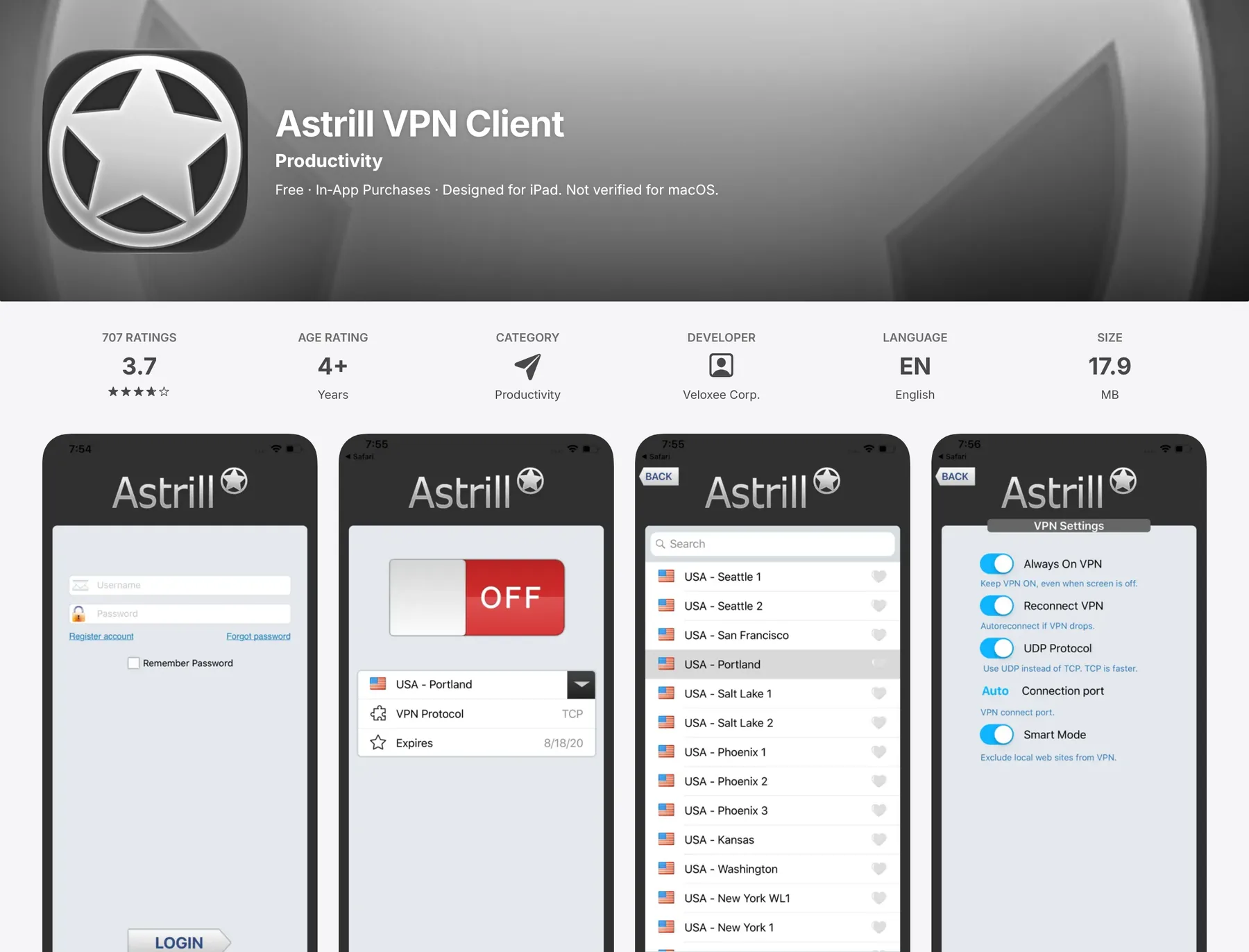
- Get Astrill VPN Client from the App Store (developer: Veloxee Corp., needs iOS 9 or later).
- Log in with the account you bought on astrill.com, not an App Store subscription, if you also use it on a laptop.
- Tap Connect, allow the VPN profile, pick a nearby server.
- Turn on Always On and Smart Mode for a set and forget setup.
- Going to China? Install and test before you fly. The App Store VPN listing is blocked there.
Astrill VPN for iOS at a glance
| Item | Details |
|---|---|
| App name | Astrill VPN Client |
| Where | Apple App Store |
| Minimum iOS | iOS 9.0 or later (iPhone and iPad) |
| App Store rating | 3.7 out of 5 (707 ratings, US store) |
| Key features | Always On, Smart Mode, one tap connect |
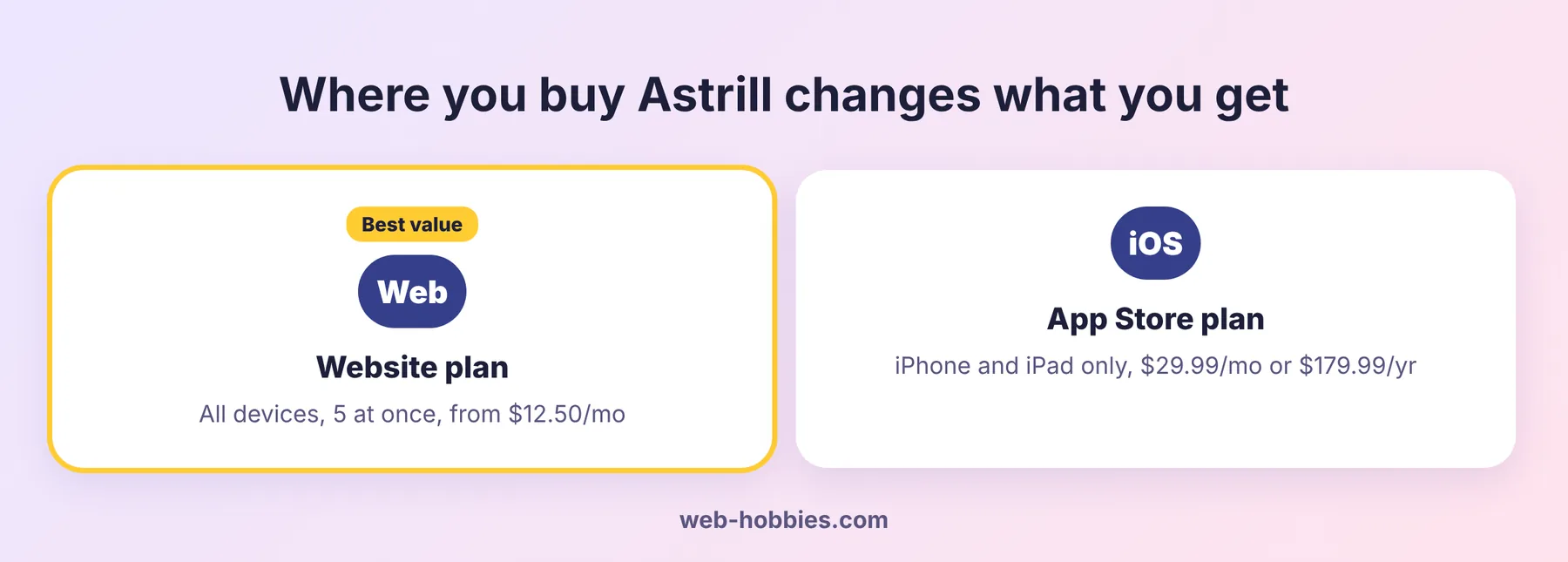
| In app price | $29.99 per month or $179.99 per year, iPhone/iPad only |
| Website price | From $12.50 per month on the 2 year plan, all devices |
Step 1: Download Astrill VPN for iOS
- Open the App Store on your iPhone.
- Search Astrill VPN. The official app is “Astrill VPN Client” by Veloxee Corp.
- Tap Get and confirm with Face ID or your Apple ID.
Check the developer before you tap Get. The real one is Veloxee Corp., the company behind Astrill’s iOS app.
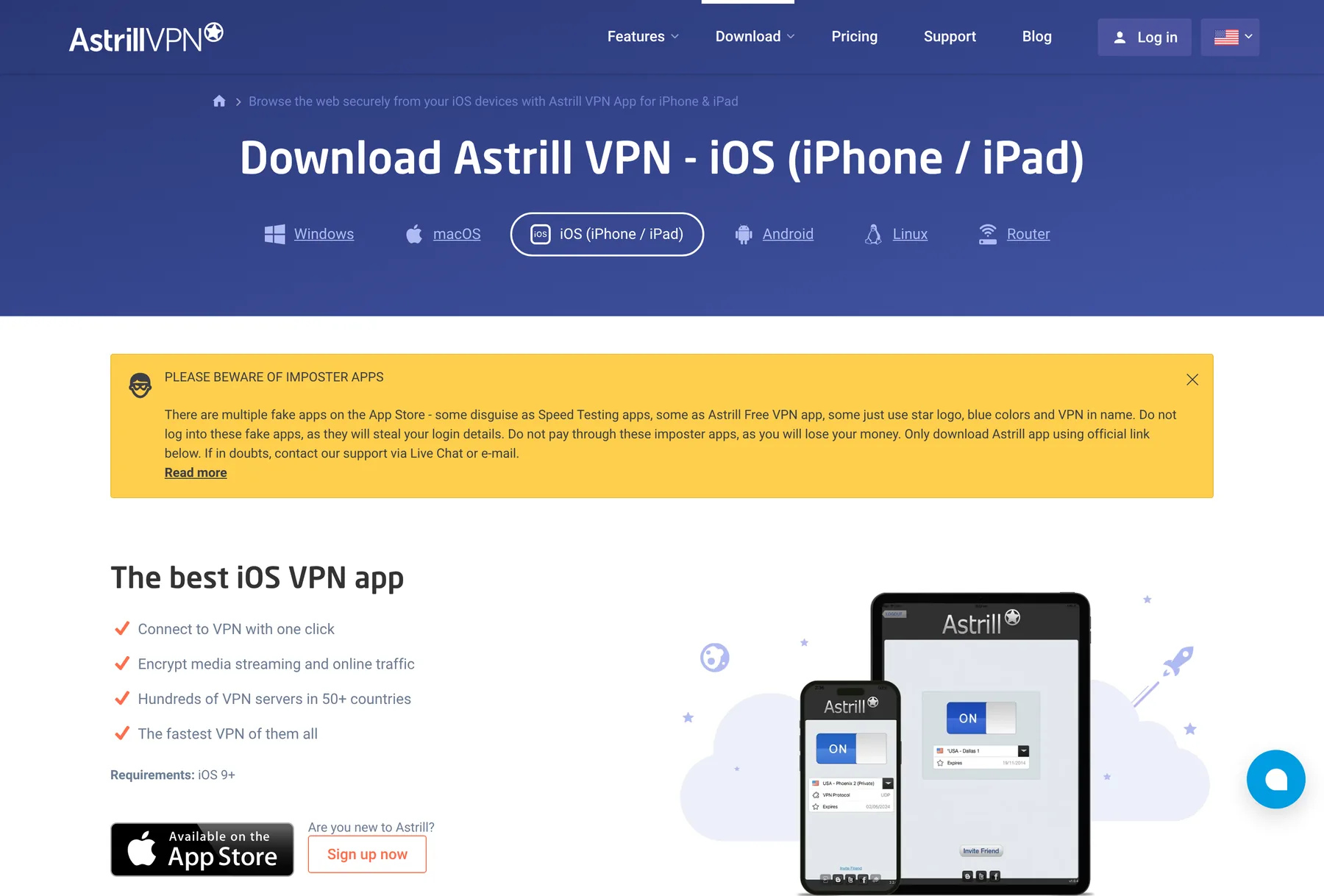
Fake apps exist. Astrill warns that some copy its star logo and blue colors, or pose as speed tests or a “free” Astrill. Never log in to them. The safest route is the App Store button on Astrill’s iOS download page.
Step 2: Buy on the website, not in the app
This is the one thing most people get wrong. An account bought inside the iOS app works only on your iPhone and iPad. Astrill says so right in the App Store listing. It costs $29.99 a month or $179.99 a year, and it will not log in on a Mac, PC or Android.
An account bought on the Astrill website works on every device, allows 5 connections at once, and the long plans are far cheaper per month. See the full Astrill price per month breakdown.
Step 3: Log in and connect
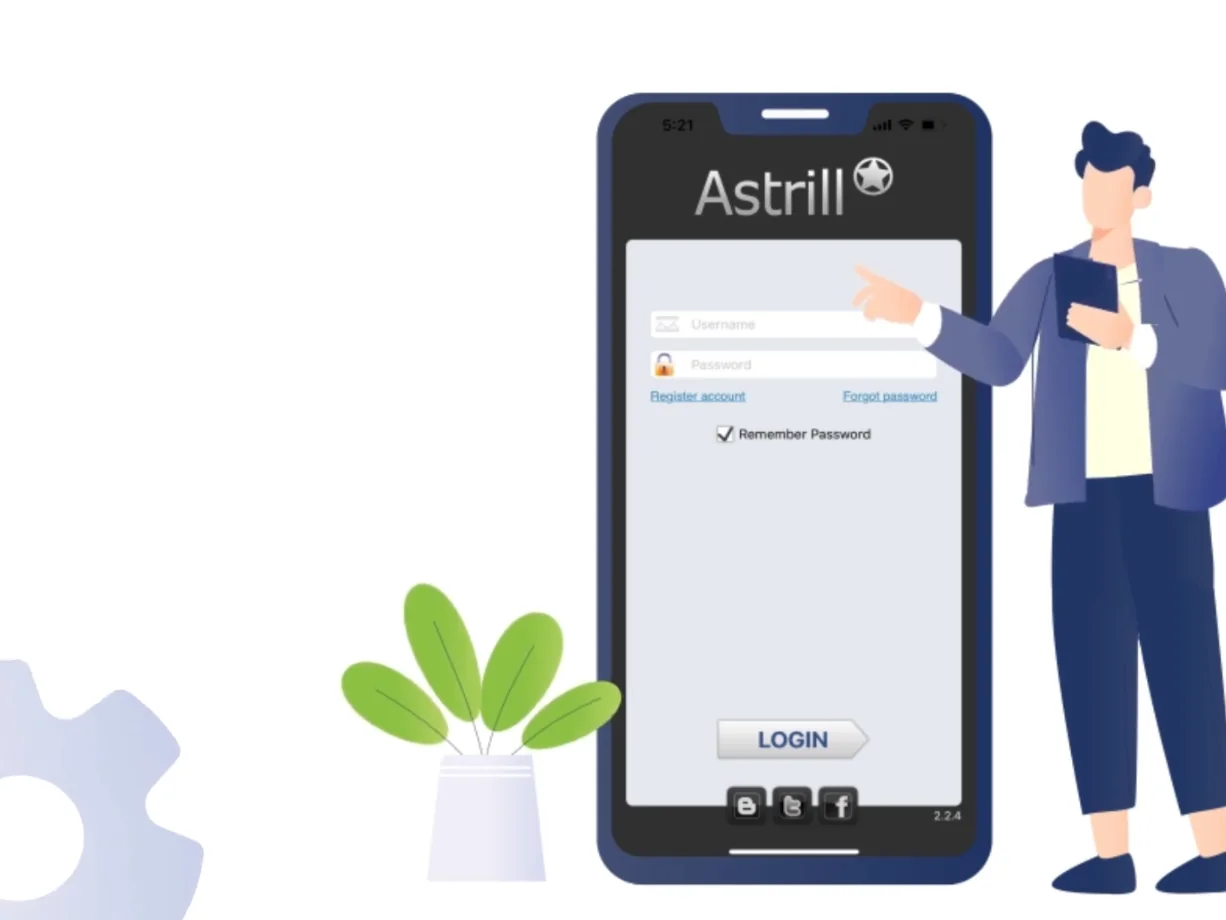
- Open the app and enter your Astrill email and password.
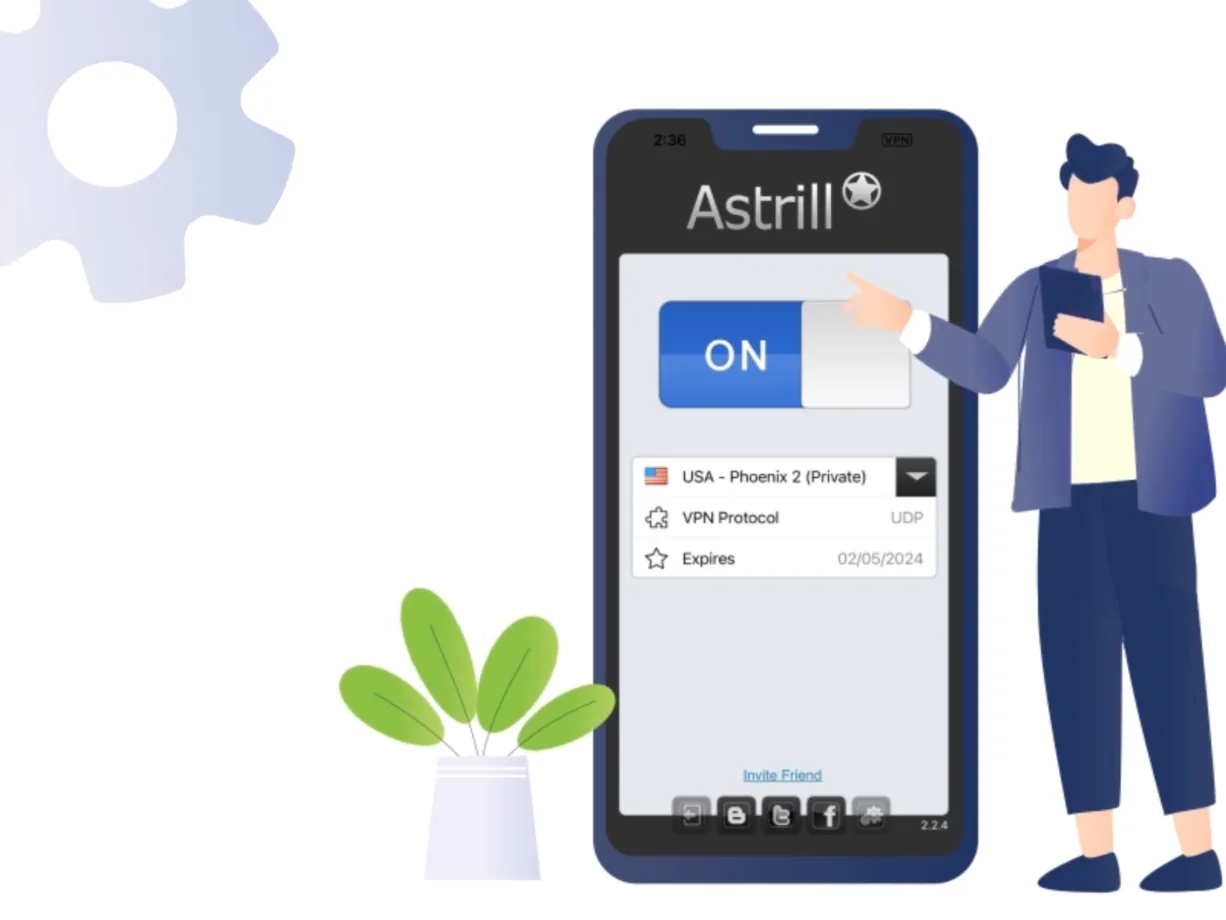
- Tap the big Connect switch.
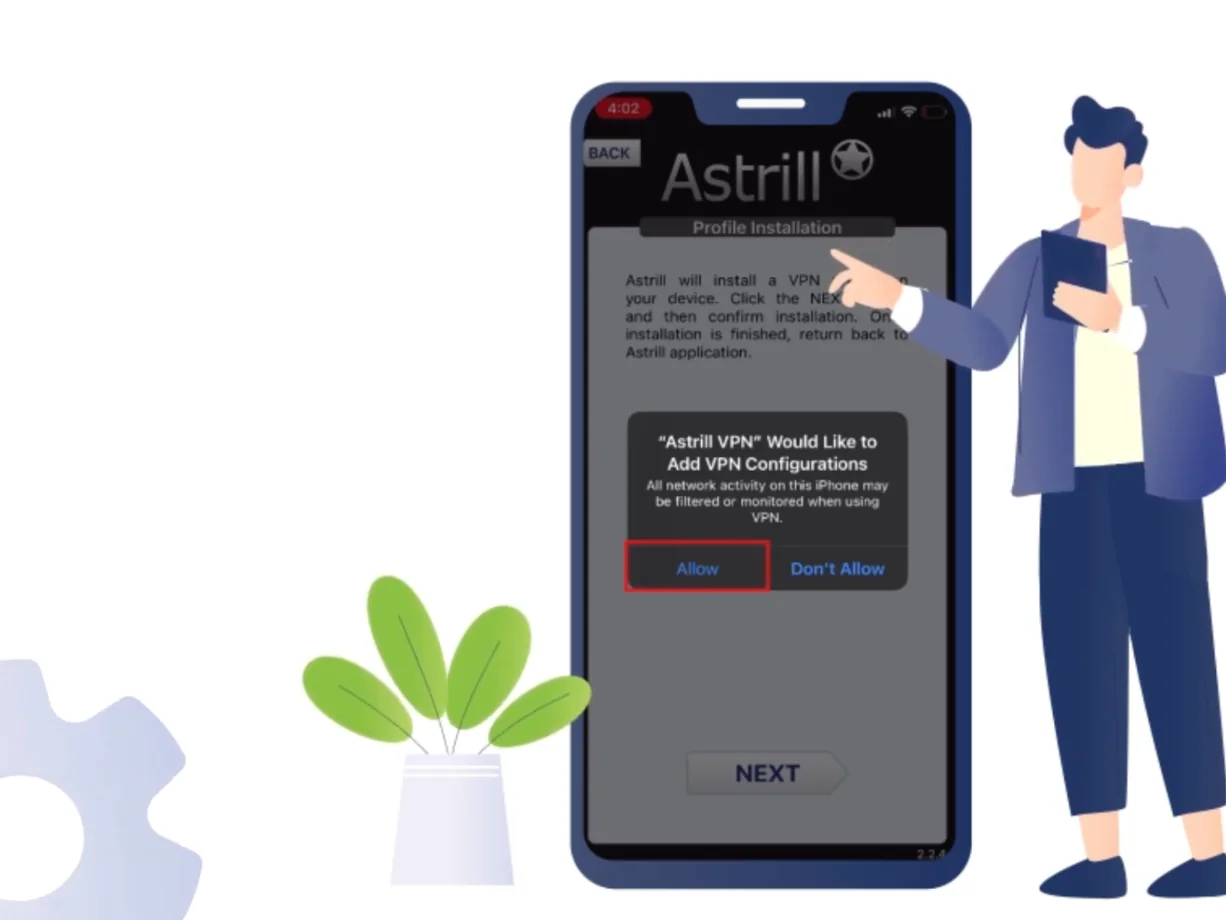
- iOS will show “Astrill VPN would like to add VPN configurations”. Tap Allow and confirm with your passcode.
- A small VPN badge appears in the status bar. You are connected.
Step 4: Pick a server
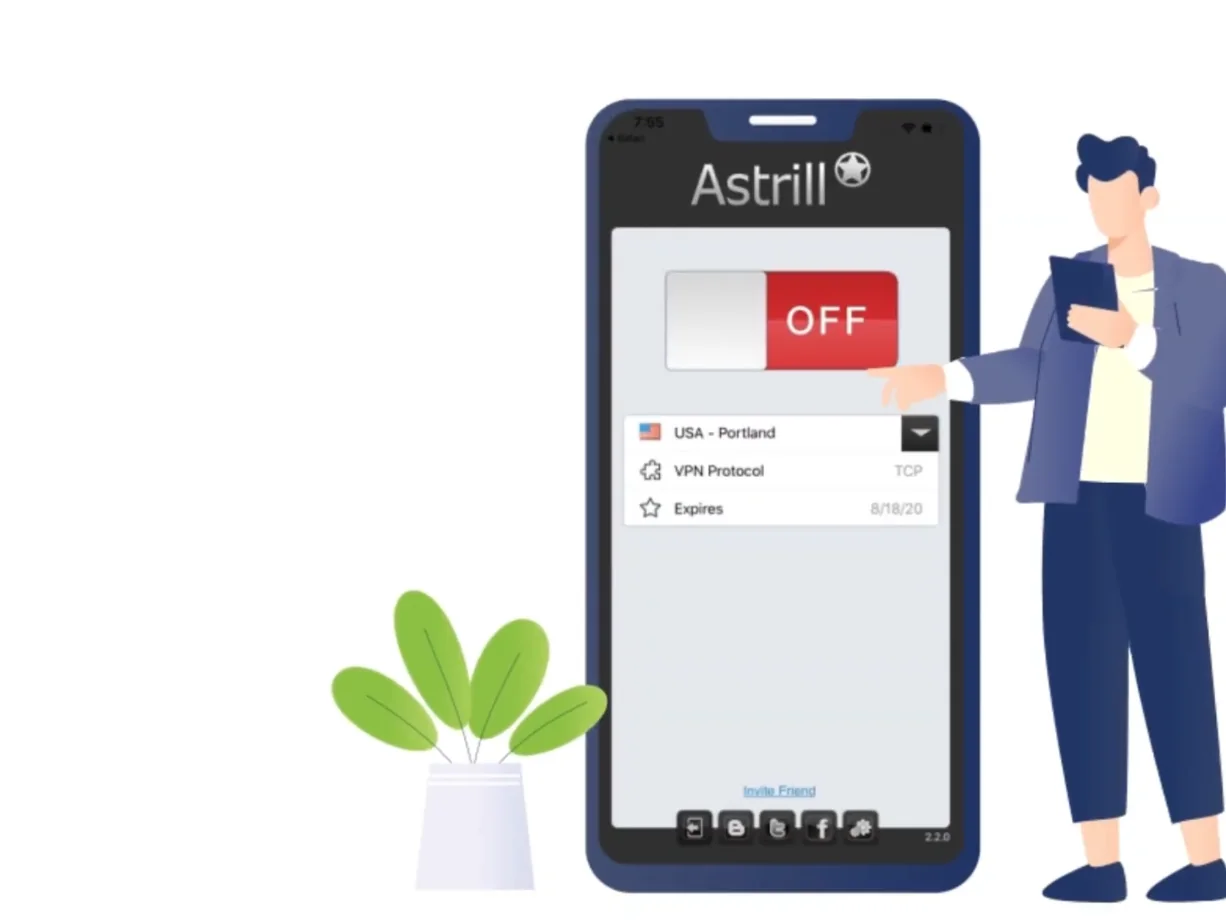
Tap the server name to open the list. Closest is fastest. For streaming, pick a server in the country of the service you want. For China, use Hong Kong, Japan or Singapore (full guide: install Astrill in China).
Step 5: Turn on the two settings that matter
| Setting | What it does | Turn it on? |
|---|---|---|
| Always On | Reconnects the VPN automatically whenever you use the internet, disconnects when idle to save battery | Yes |
| Smart Mode | Sends local sites outside the VPN so banking and local apps stay fast | Yes if you use local services |
Both live under the settings gear inside the app.
Prefer to watch? Here is Astrill’s own iPhone setup video:
Astrill not connecting on iPhone? Try this
- Log out and back in. Fixes most “cannot connect” errors.
- Switch servers. One busy server does not mean the service is down. Check is Astrill down if nothing works.
- Remove old VPN profiles. Settings > General > VPN & Device Management. Delete other VPN configs, then reconnect Astrill.
- Restart the iPhone. Old but it works.
- Manual OpenVPN fallback. Install the free OpenVPN Connect app, then in your Astrill member area go to VPN Services > OpenVPN certificates, create one for iOS and import the .ovpn file.
iPhone vs desktop: what you lose on iOS
The iOS app is simpler than the Windows and Mac apps. You get fewer protocol choices (no full StealthVPN and OpenWeb menu like on desktop) and no App Guard. For most people that is fine. If you live in a heavily censored country, keep a laptop or Android device with the full app as your main connection.
FAQ
Is Astrill VPN free on iPhone?
The download is free, but you need a paid plan. Astrill’s FAQ says it does not offer free trials, and website sales are final. To test it, start with the 1-month plan.
Does Astrill work on iPad?
Yes. Same app, same steps. A website account covers iPhone, iPad and your computers together.
Can I download Astrill for iOS in China?
Usually not. The China App Store does not list it. Install it before you arrive, or sign in with a non China Apple ID.
How many devices can I use?
A website account allows 5 devices connected at the same time (only one of them can be a router). An App Store account is limited to your iPhone and iPad.